Съдържание
УсловиеGeneral Use Equipment.Pipettes.Funnel and Filter.Conical Flask with Distilled Water.Empty Conical Flask.Drexel Flask and Bucket for Waste Water.рН-meter.Test Tubes with Chemicals.Empty Test Tubes and Test Tube Rack.Tray and Wipes.Spectroscope Parts.Optical Rail.Light Source.Cuvette Unit.Entrance Slit of Spectroscope.Large Collimator LensDiffraction Grating.Large Condenser Lens.CCD-matrix.Spectroscope Casing.Screen.General Remarks.Assignment.Part 0. Preliminary.Part 1. Assembling Spectroscope.Part 2. Adjusting the Spectroscope.Часть 3. Spectra of Various Light Sources.Part 4. Absorption Spectra of Solutions.Part 5. Variations of Absorption Spectra.РешениеIOM 2017, Експеримент — Задача 1. Spectroscopy
The 2nd International Olympiad of Metropolises — Spectroscopy experiment
Native cover
The 2nd International Olympiad of Metropolises. Experimental problem.
Условие
Spectroscopy
General Use Equipment.
General use equipment: a 5 ml pipette, a 1 ml pipette, various pipette tips, a funnel, filters, a conical flask with distilled water, an empty conical flask, a Drexel flask, a bucket for waste water, a pH-meter, two graduated cylinders with distilled water, a graduated cylinder with chopped red cabbage, a test tube with a blue dye, a test tube with a yellow dye, a test tube with a green dye, a test tube with sodium carbonate, a test tube with citric acid, empty 50 ml test tubes, empty 10 ml test tubes, a test tube rack for 10ml tubes, a tray, and wipes.
Pipettes.
Using a pipette, you can pour a certain amount of water into a test tube or a cuvette (see Fig.1). To use a pipette, put a tip on it, press the upper button to the 1-st stop, immerse the tip into a liquid, and release the upper button. Then remove the tip from the liquid and place its end to a necessary vessel. Press the button to the 2-nd stop, i.e. with a greater effort than when filling the pipette. This ensures that the liquid will pour out of the pipette completely.
If you want to perform precise measurements, be sure to press the upper button only to the first stop when filling a pipette with liquid and press the button to the end, i.e. to the 2-nd stop, when emptying the pipette. In order to set the amount of liquid to be filled into a pipette, turn the upper button. The exact volume of liquid is displayed on the pipette side.
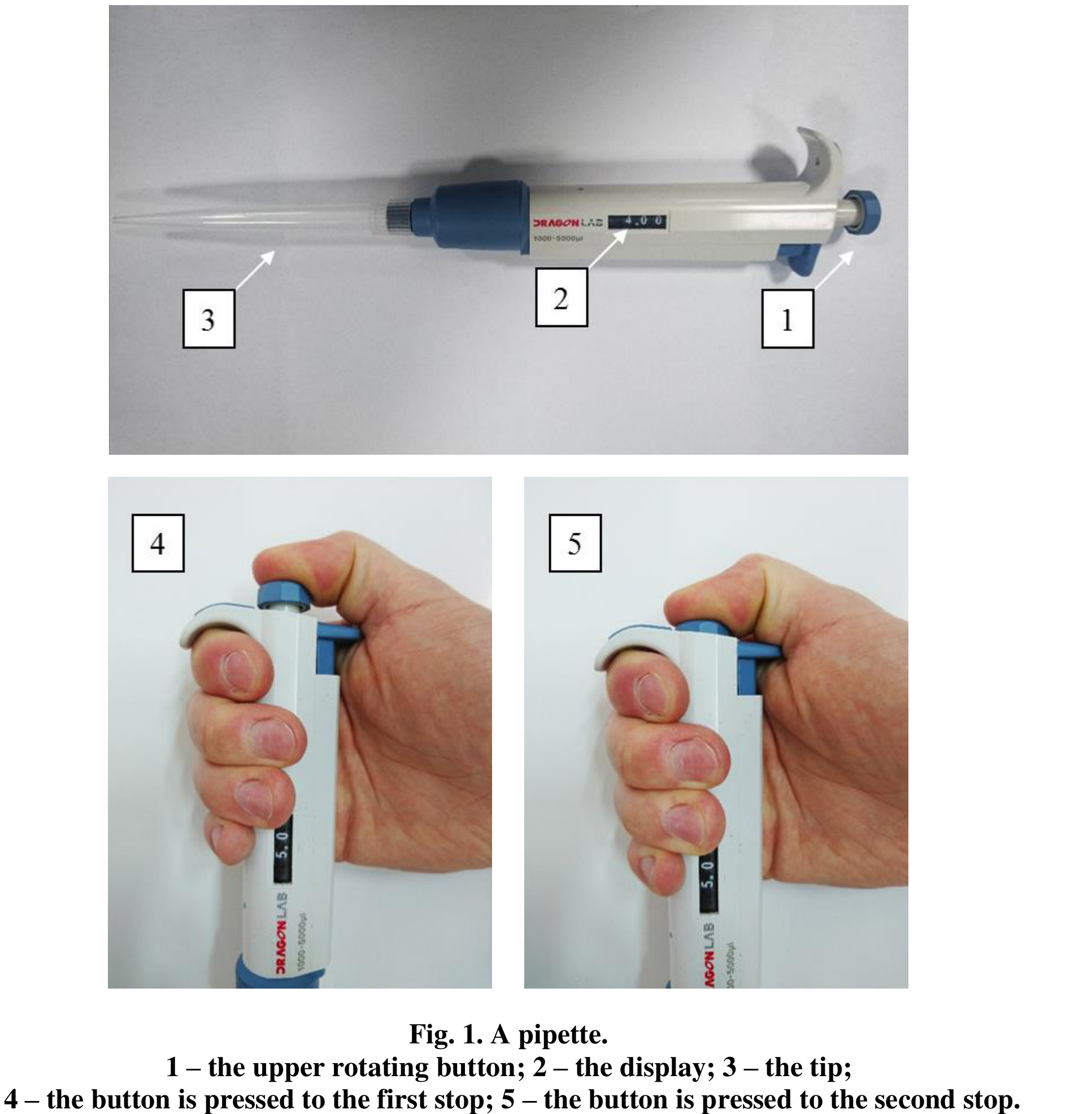
Fig. 1. A pipette. 1 – the upper rotating button; 2 – the display; 3 – the tip; 4 – the button is pressed to the first stop; 5 – the button is pressed to the second stop.
Funnel and Filter.
A funnel is convenient for pouring a large amount of liquid into a vessel with a narrow neck and for filtering a solution. To do filtering, fold a filter as it is shown in Fig. 2, insert the folded filter into a funnel, put the funnel neck into a flask or a test tube and carefully pour liquid into the funnel on the filter. Make sure that the level of the liquid always remains below the filter rim.
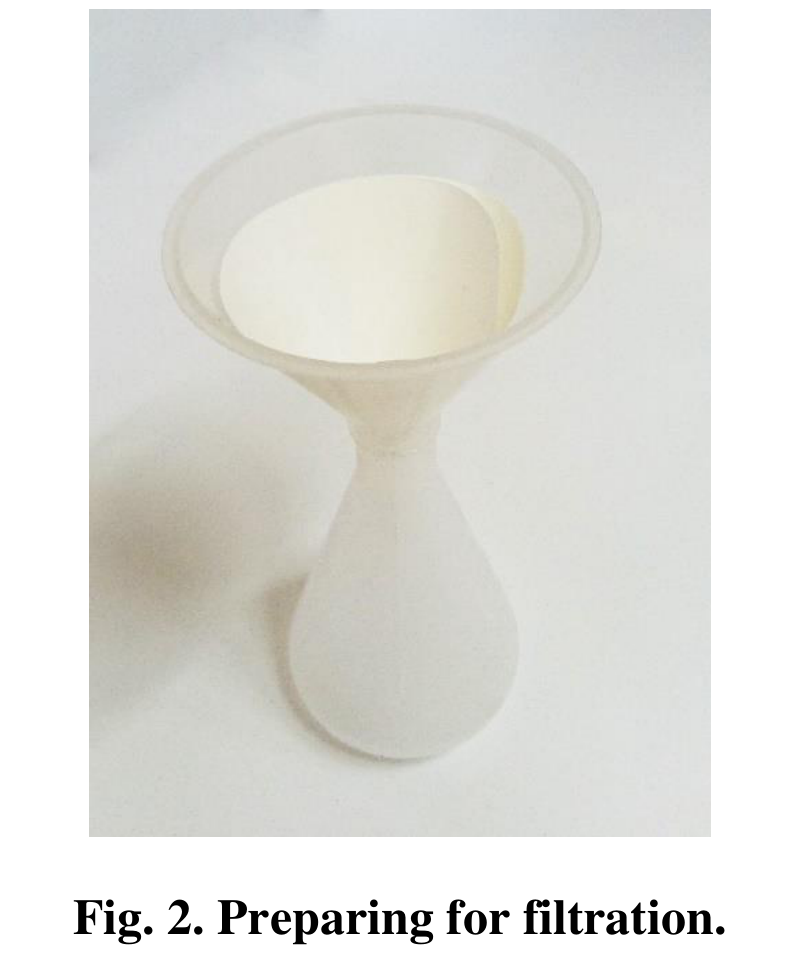
Fig. 2. Preparing for filtration.
Conical Flask with Distilled Water.
The flask contains water which you should use to dissolve dyes in the part #4 of the experiment.
Empty Conical Flask.
This flask is used for storing a solution of anthocyanins (part #0 of the experiment).
Drexel Flask and Bucket for Waste Water.
The Drexel flask is used for washing (to remove liquid residues) vessels, pipette tips, and cuvettes. To use the Drexel flask, place the vessel to be washed above the waste water bucket, aim the flask tip at the vessel, and squeeze the flask. The water jet from the tip will hit the vessel being washed, the contaminated water must flow into the bucket.
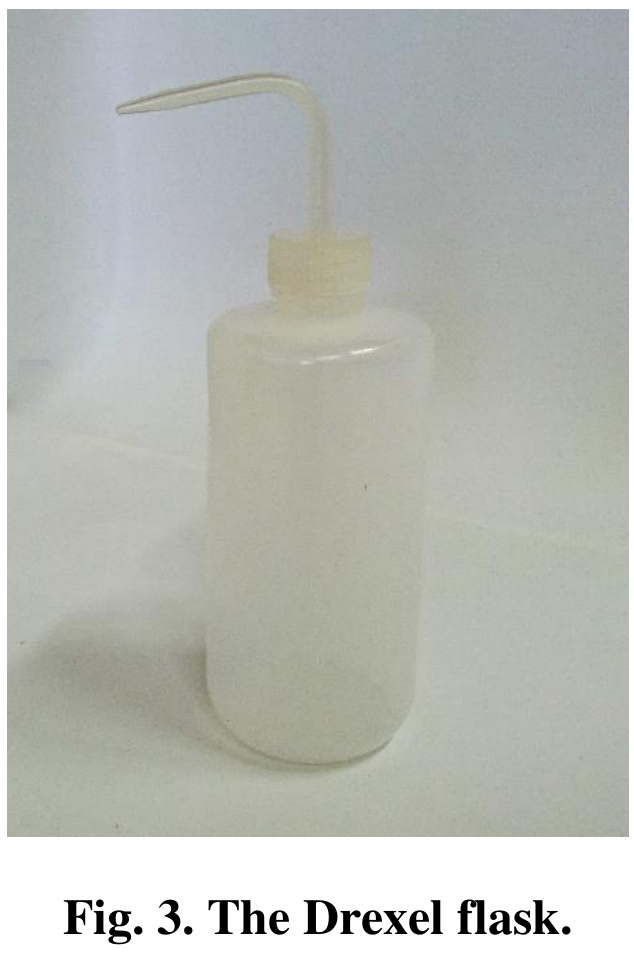
Fig. 3. The Drexel flask.
рН-meter.
We use a special instrument to measure pH of a solution, a pH-meter. The main part of the meter is an electrode which is very sensitive to the composition of the environment. Therefore, it is not allowed to touch the electrode with bare hands and it must be stored in distilled water when not in use (see Fig.4).
In order to measure pH of a solution, turn the meter on, remove the protective flask off the electrode, immerse the electrode into the solution, and stir the solution by the electrode until the meter readings stop changing. Write down the readings, remove the electrode, rinse it, and immerse it into distilled water till the next measurement.
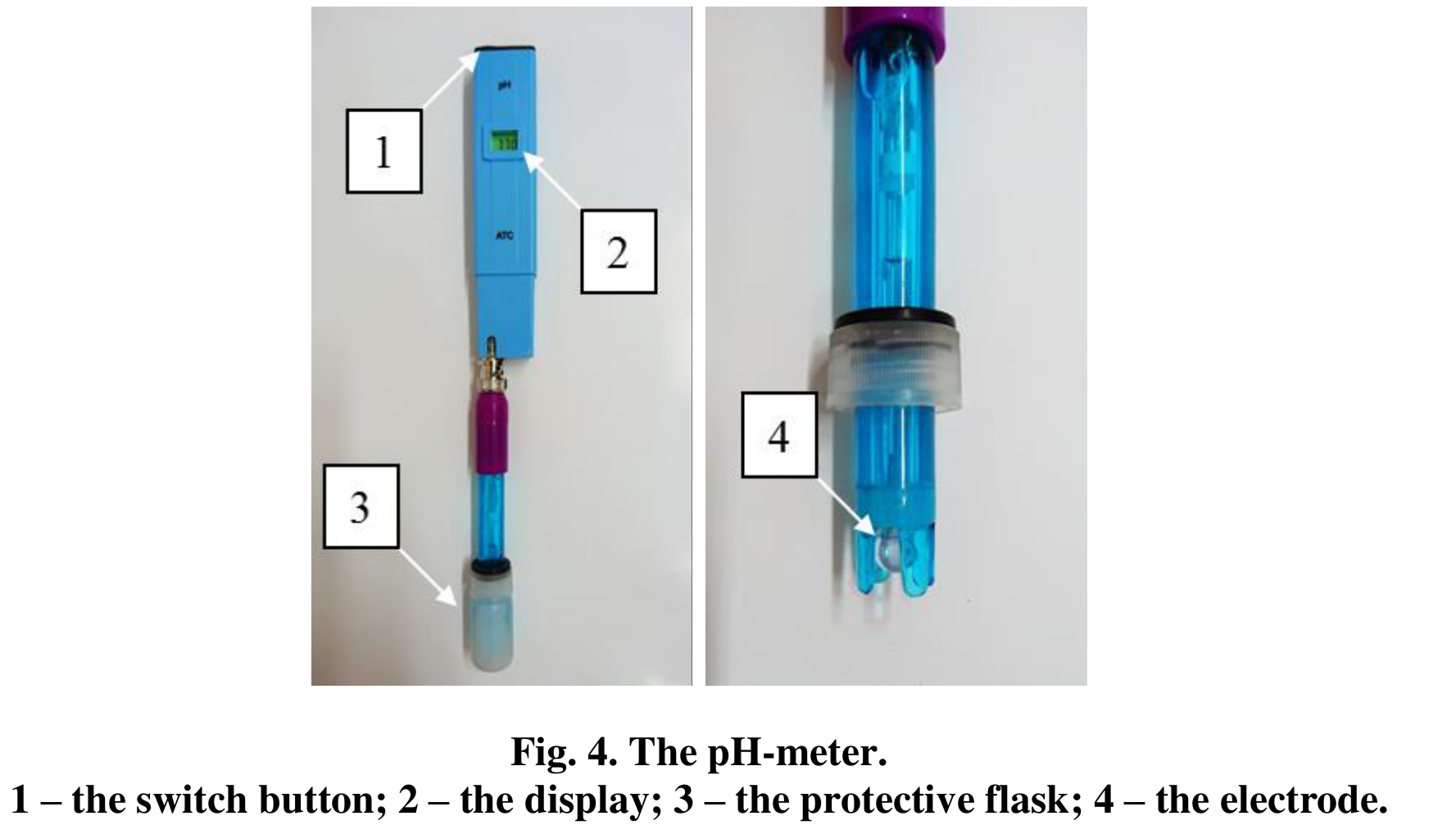
Fig. 4. The pH-meter. 1 – the switch button; 2 – the display; 3 – the protective flask; 4 – the electrode.
Use one of the graduated cylinders with distilled water for rinsing the electrode. Simply put the meter in the cylinder and stir a bit. The second cylinder should be used for storing the electrode when not in use. It is not necessary to disconnect the electrode from the pH-meter during the experiment.
Test Tubes with Chemicals.
These test tubes contain the chemicals used in the experiment (see Fig.5). They must be used only for storing pure chemicals, use other test tubes for mixing the stored chemicals with other substances.
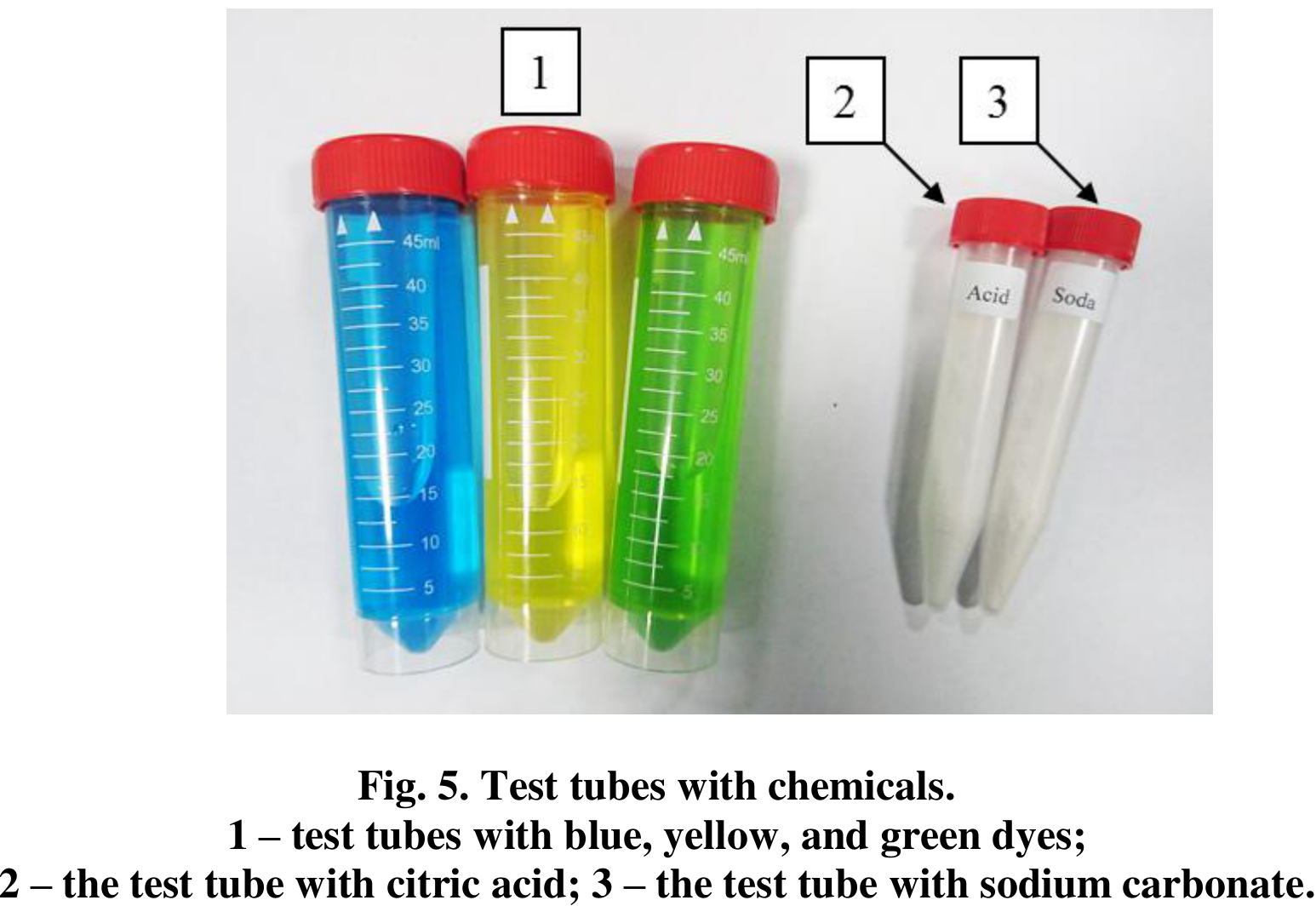
Fig. 5. Test tubes with chemicals. 1 – test tubes with blue, yellow, and green dyes; 2 – the test tube with citric acid; 3 – the test tube with sodium carbonate.
Empty Test Tubes and Test Tube Rack.
Use empty tubes for mixing chemicals and, if you wish, for storing the products of mixing. The rack is used to store 10 ml test tubes in vertical position. Test tubes with their caps removed can be placed in the rack in a row.
Tray and Wipes.
Use the wipes and the tray to keep the working place dry and clean. Dispose of the used wipes in the waste water bucket. You can also clean the optical cuvette by the wipes.
Spectroscope Parts.
Spectroscope parts: an optical rail, a ruler, a light source, a thermometer, a cuvette unit, a cuvette (inserted into the cuvette unit), an entrance spectroscope slit, a large collimator lens, a diffraction grating, a large condenser lens, a CCD-matrix, a spectroscope casing, a screen, and a PC.
Optical Rail.
The 60 cm long optical rail is made of aluminum profile, it is designed for mounting units of an optomechanical assembly. The rail has engraved marks for estimating a distance between the units (see Fig.6).
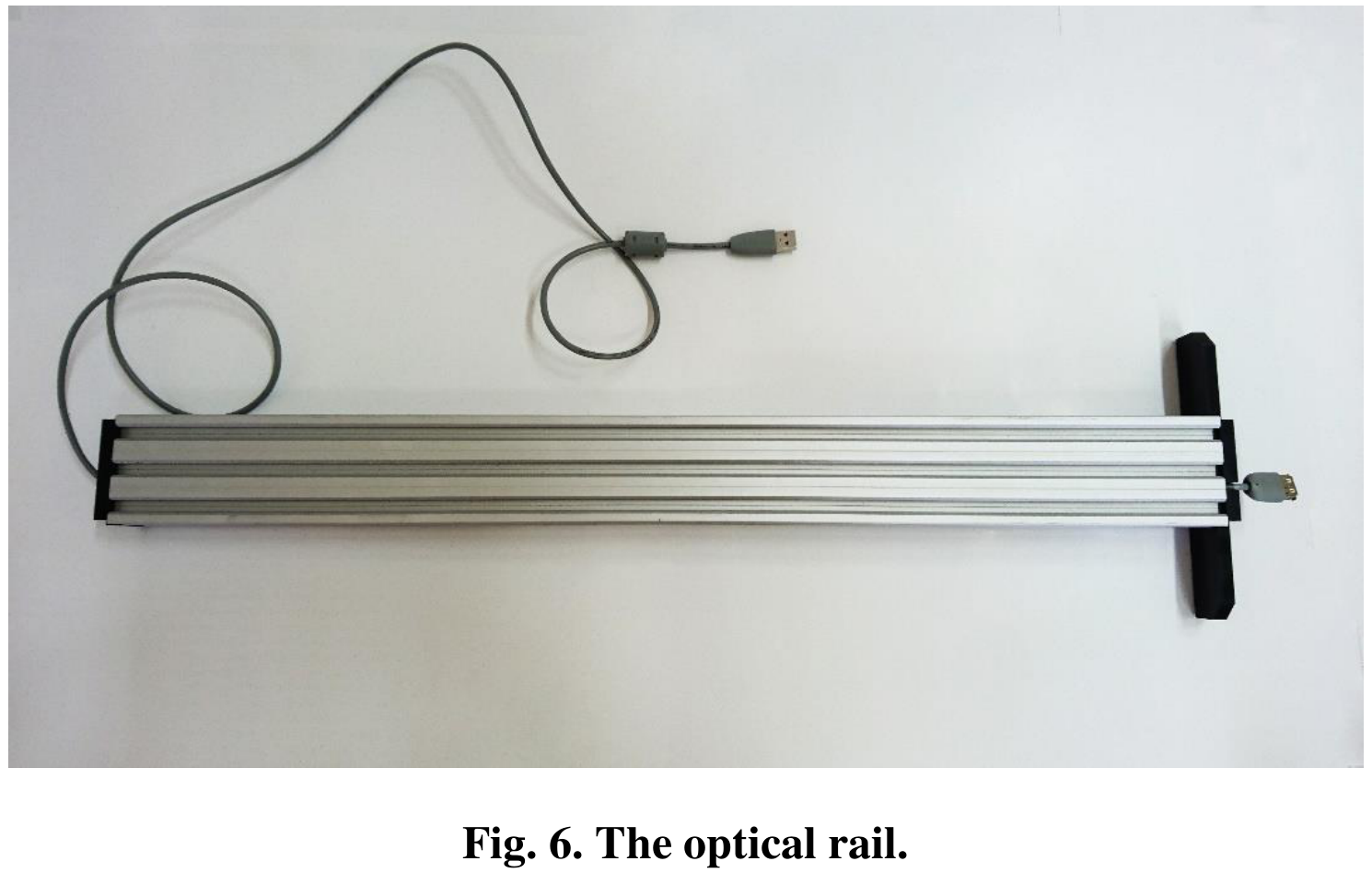
Fig. 6. The optical rail.
Light Source.
A light source (see Fig.7) includes a 10 W halogen bulb and four LEDs: violet, green, yellow, and red. The light source also has a cooling fan and a set of switches to turn various light sources on and off.
It is necessary to switch on the fan when the halogen bulb is lit.
The light source has an opening for installing a thermometer. If necessary, the thermometer is inserted into the bush on the light source casing, the end of the thermometer tip must be at the same level with the last (red) LED inside the casing.
The light source is mounted on the optical rail and can be moved both along the optical axis and in perpendicular directions.
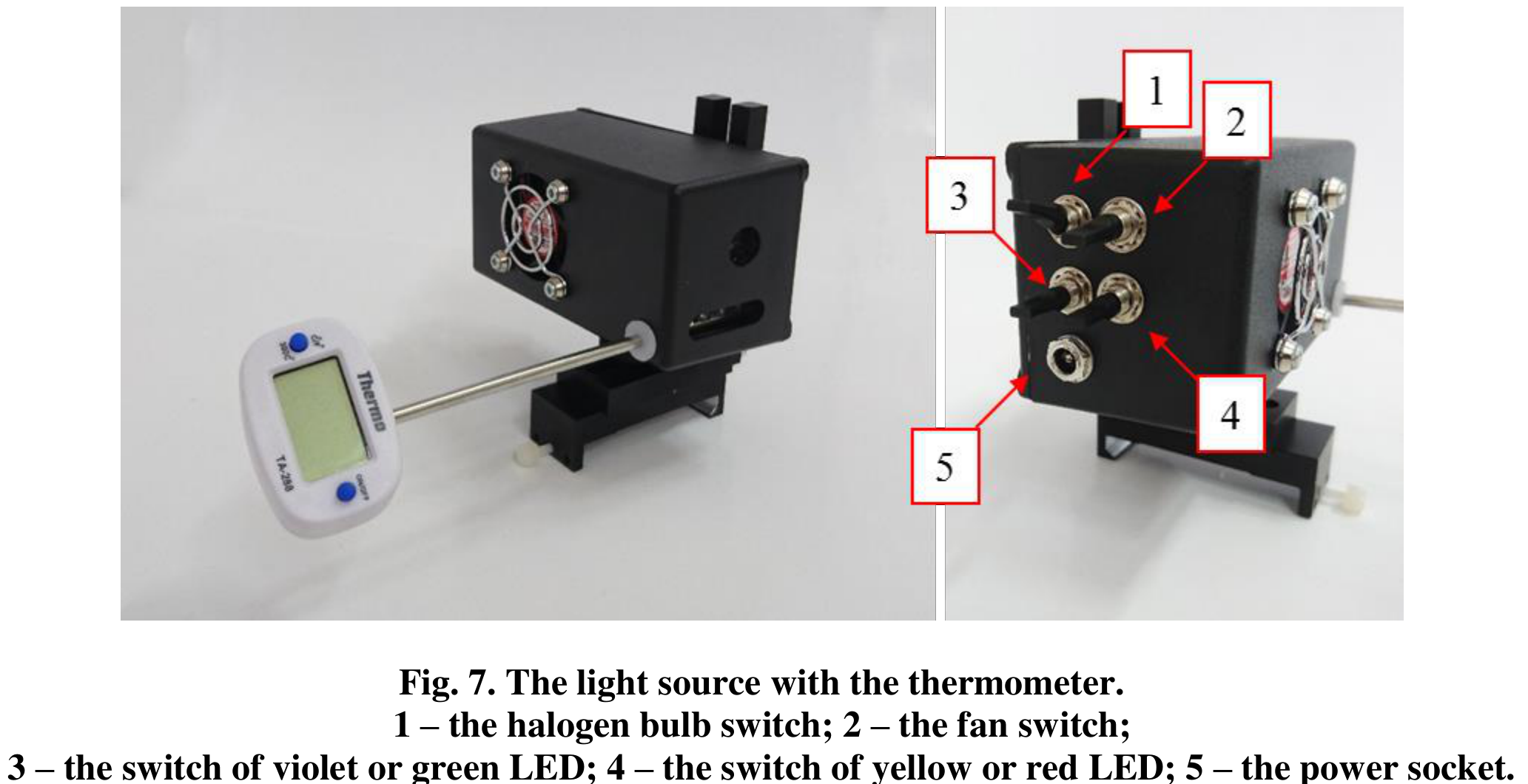
Fig. 7. The light source with the thermometer. 1 – the halogen bulb switch; 2 – the fan switch; 3 – the switch of violet or green LED; 4 – the switch of yellow or red LED; 5 – the power socket.
The switches on the rear wall of the light source are used for turning on the halogen bulb, the fan, a violet or green LED, and a yellow or red LED.
Power for the light source is supplied by a standard (12 V, 1 A) power source.
Cuvette Unit.
A cuvette unit (see Fig.8) contains three basic elements.
A collimator lens (a focal length of 25 mm and a diameter of 12.5 mm).
A cuvette holder.
A condenser lens (a focal length of 25 mm and a diameter of 12.5 mm).
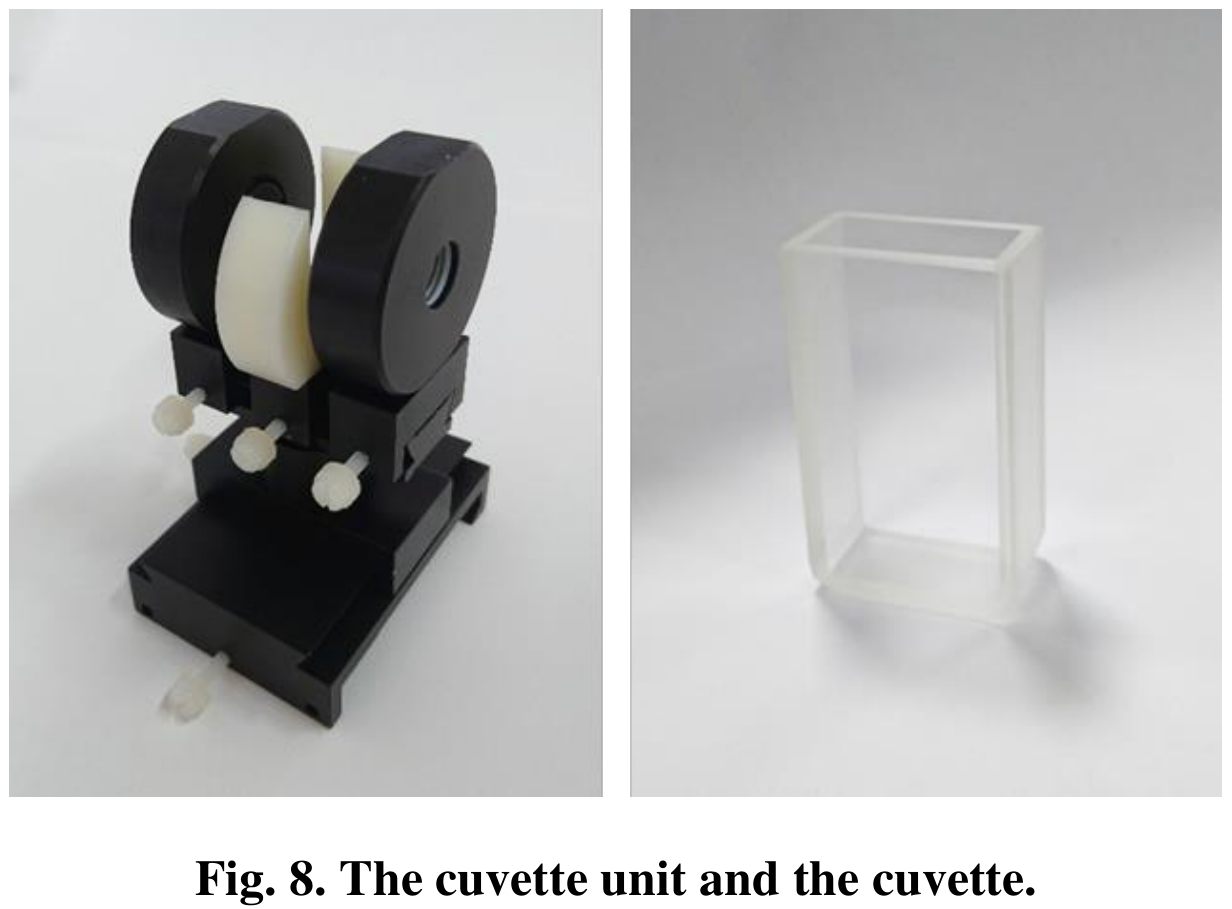
Fig. 8. The cuvette unit and the cuvette.
This set of three elements is mounted on a minirail which, in turn, is mounted on the main optical rail. The cuvette unit can be moved along the optical rail and in perpendicular directions. The optical axis of the cuvette unit is fixed at the height approximately 72.5 mm above the optical rail surface.
The direction of lens mounting is indicated by the arrow on the lens top. The beam of light must propagate in the direction indicated by the arrow.
Insert the cuvette in the cuvette unit always in the same position by tightly pressing it against the condenser lens casing.
Entrance Slit of Spectroscope.
This optomechanical unit (see Fig.9) contains a diaphragm of 0.5 mm in diameter and a set of removable slits (of 100 μm and 40 μm wide). The working spectroscope slit is 40 μm wide. The diaphragm and the 100 μm slit are used for adjusting the installation.
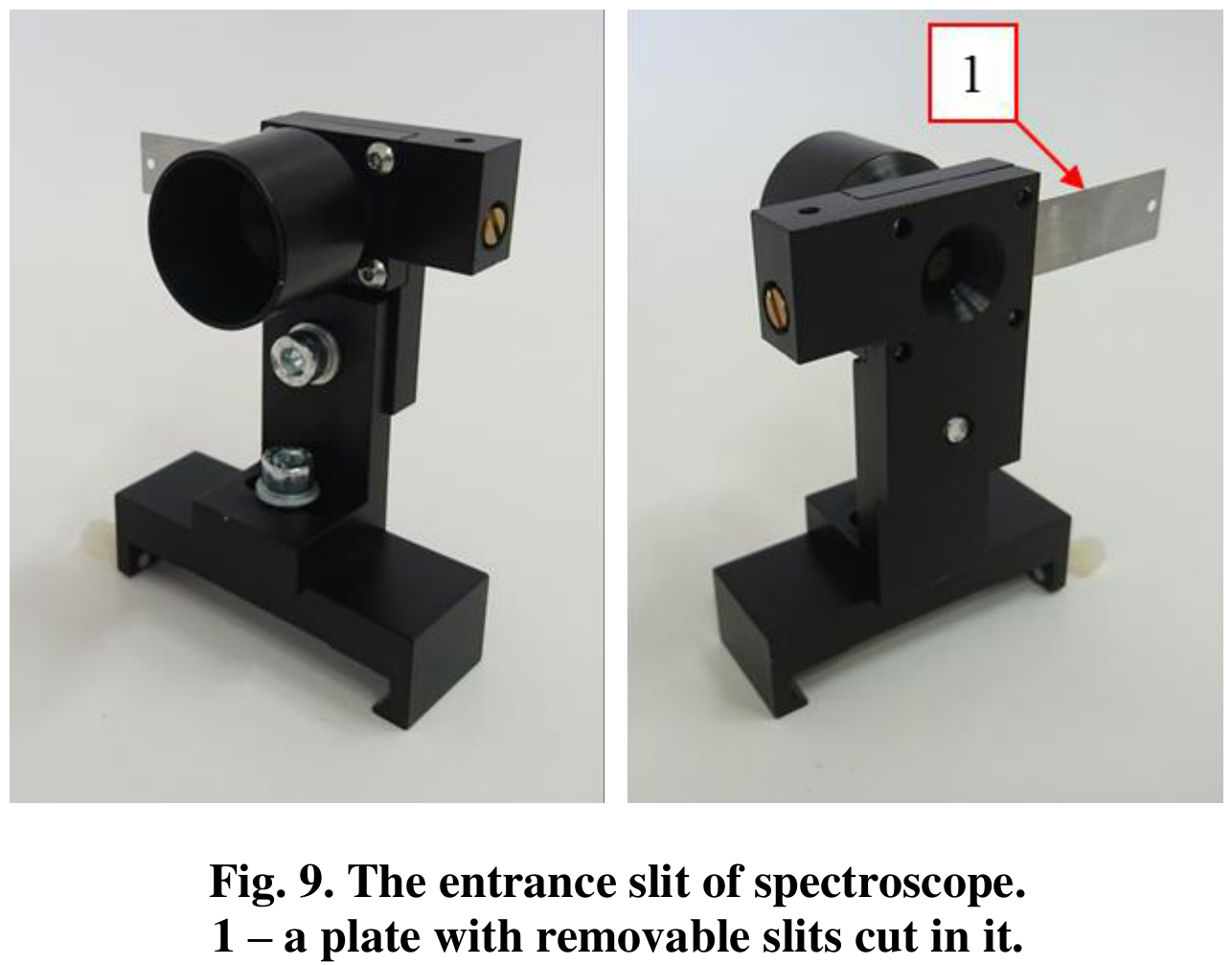
Fig. 9. The entrance slit of spectroscope. 1 – a plate with removable slits cut in it.
The 0.5 mm diaphragm is used for adjusting the installation. The plate with the slits cut in it must be removed from the unit during the adjustment.
The 40 μm slit is used in the spectroscope operation mode. To install the slit, the plate must be completely inserted in the side slot of the holder. The slit is fixed by a magnetic latch.
The entrance slit position can be adjusted only along the optical rail. The horizontal position of the slit and its elevation (72.5 mm) are fixed.
Large Collimator Lens
The collimator lens of spectroscope (see Fig.10) makes a parallel beam of light behind the entrance slit.
This unit can be moved only along the optical rail. The horizontal position of the collimator lens and its elevation (72.5 mm) are fixed.
The direction of the lens mounting is indicated on the top by an arrow. The light beam must propagate in the direction of the arrow.
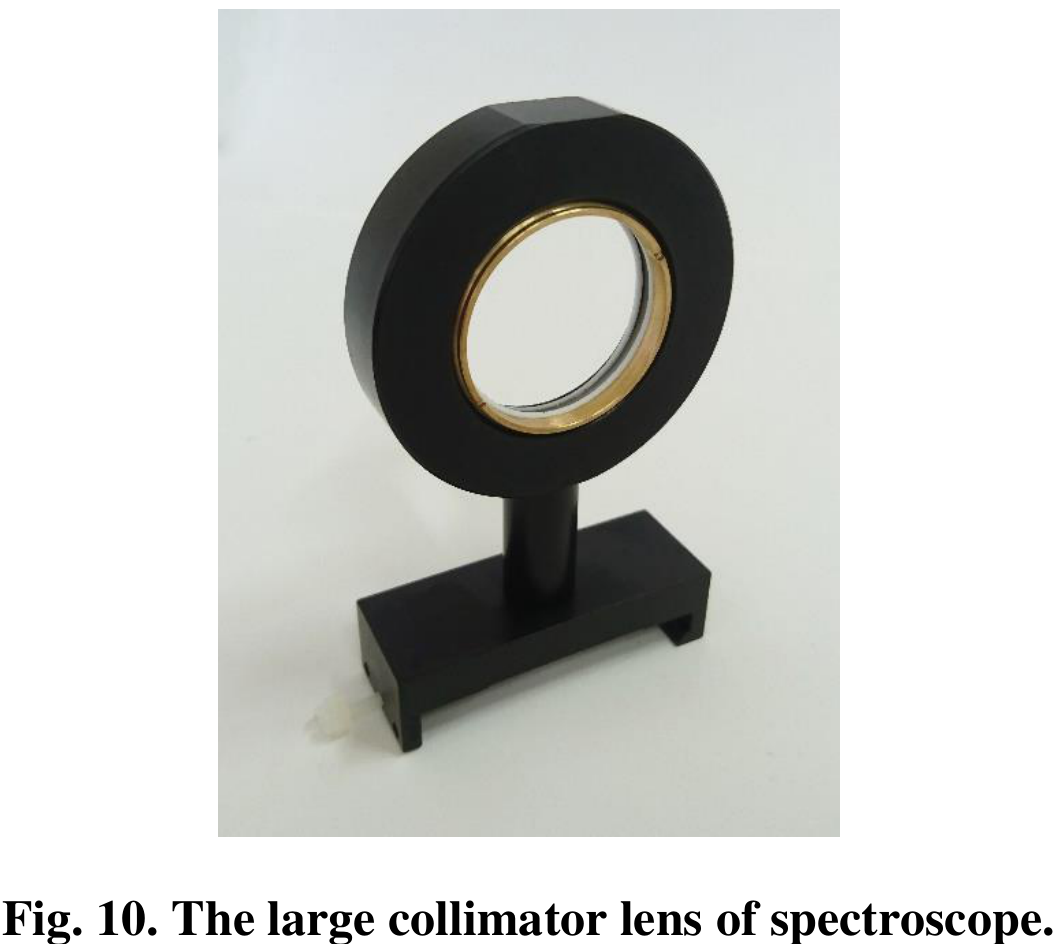
Fig. 10. The large collimator lens of spectroscope.
Diffraction Grating.
The diffraction grating (see Fig.11) is mounted in a special holder which allows one to move it both along the optical rail and in the horizontal and vertical planes.
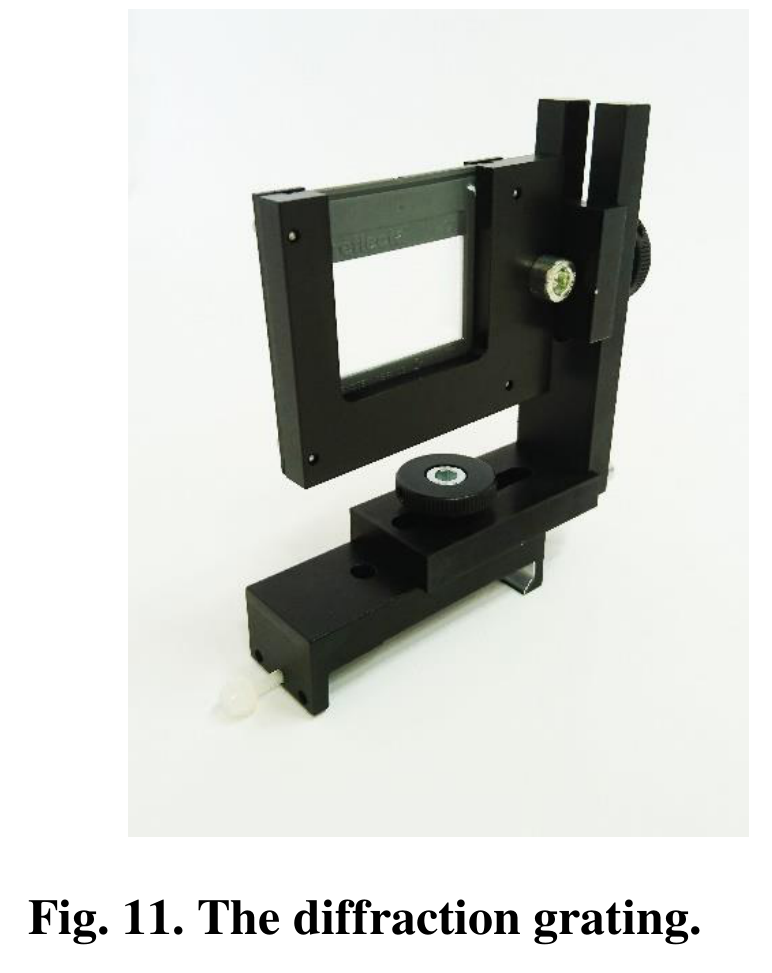
Fig. 11. The diffraction grating.
In addition, there a possibility of minor rotation of the grating around the optical axis. This is necessary for adjusting the installation.
Large Condenser Lens.
The condenser lens (see Fig.12) focuses the entrance slit image on a light sensor (the CCD-matrix).
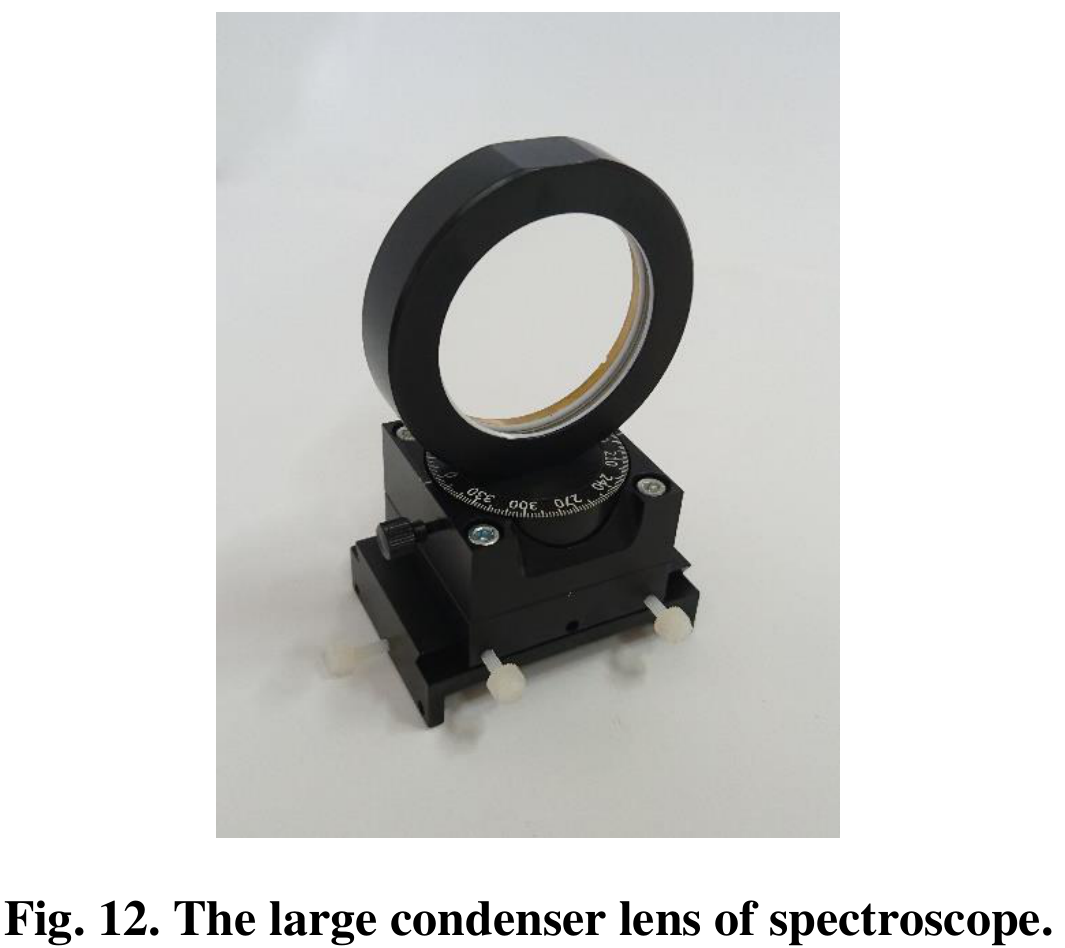
Fig. 12. The large condenser lens of spectroscope.
The condenser lens is mounted on a turntable equipped with an angular scale. The whole unit can be moved both along the optical axis and in the horizontal plane. The optical axis of the condenser lens is fixed at the height of 72.5 mm. The direction of the lens mounting is indicated on the top by an arrow. The light beam must propagate in the direction of the arrow.
CCD-matrix.
The installation contains the CCD-matrix (see Fig.13) connected to a PC via USB-interface.
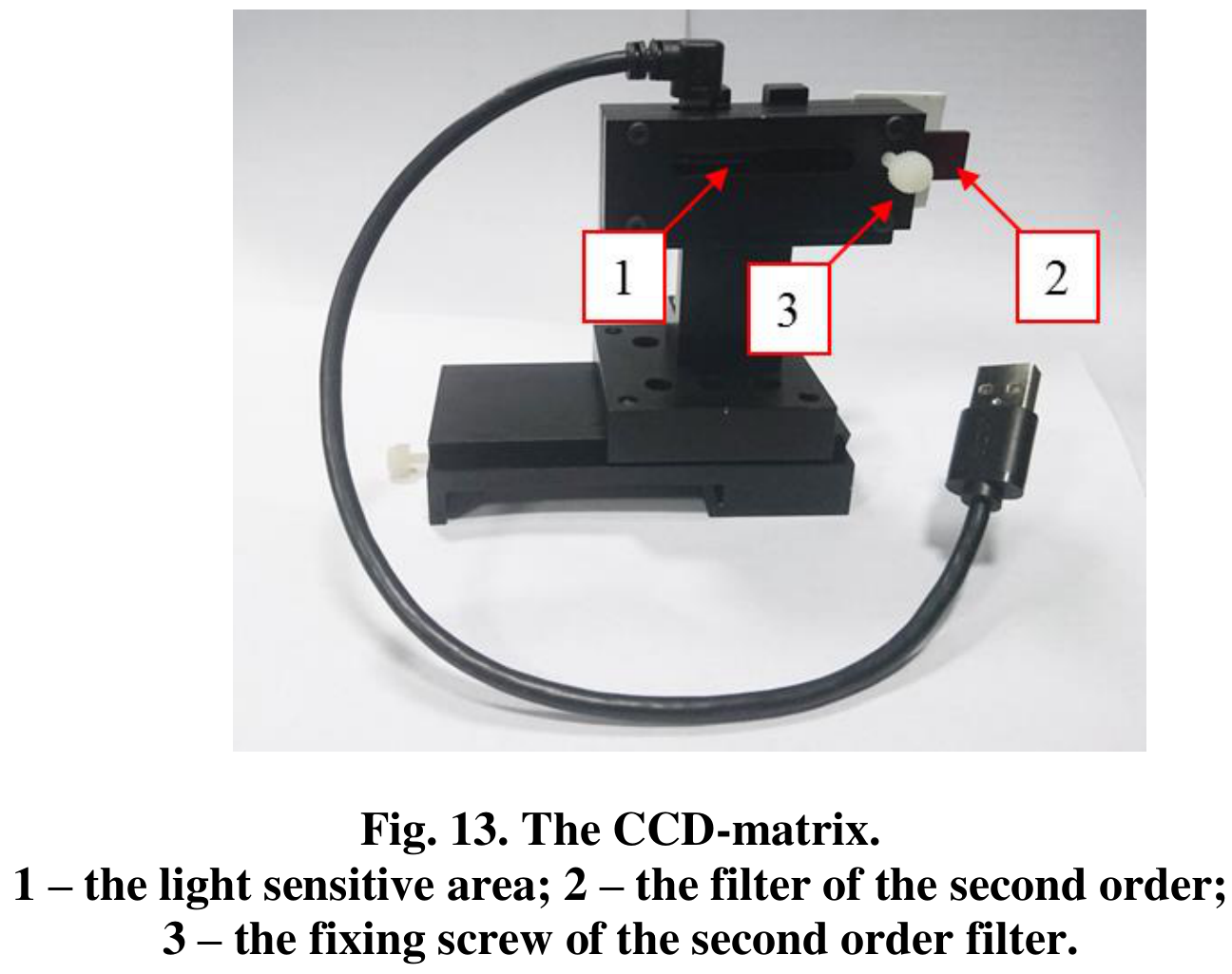
Fig. 13. The CCD-matrix. 1 – the light sensitive area; 2 – the filter of the second order; 3 – the fixing screw of the second order filter.
The CCD-matrix has a light-sensitive area of 29 mm long containing 3648 pixels, the size of each pixel is 200 х 6 µm. Not all the pixels are necessarily used when operating the installation. The sensitivity range of the CCD-matrix lies between 400 and 1100 µm.
The CCD-matrix can be moved along the optical rail and also in the horizontal and vertical directions perpendicular to the optical axis.
The second order filter can be inserted into the casing of the CCD-matrix and fixed by the screw.
Spectroscope Casing.
A light-proof casing is mounted above the optical part of the spectroscope to protect it from stray light (see Fig.14).
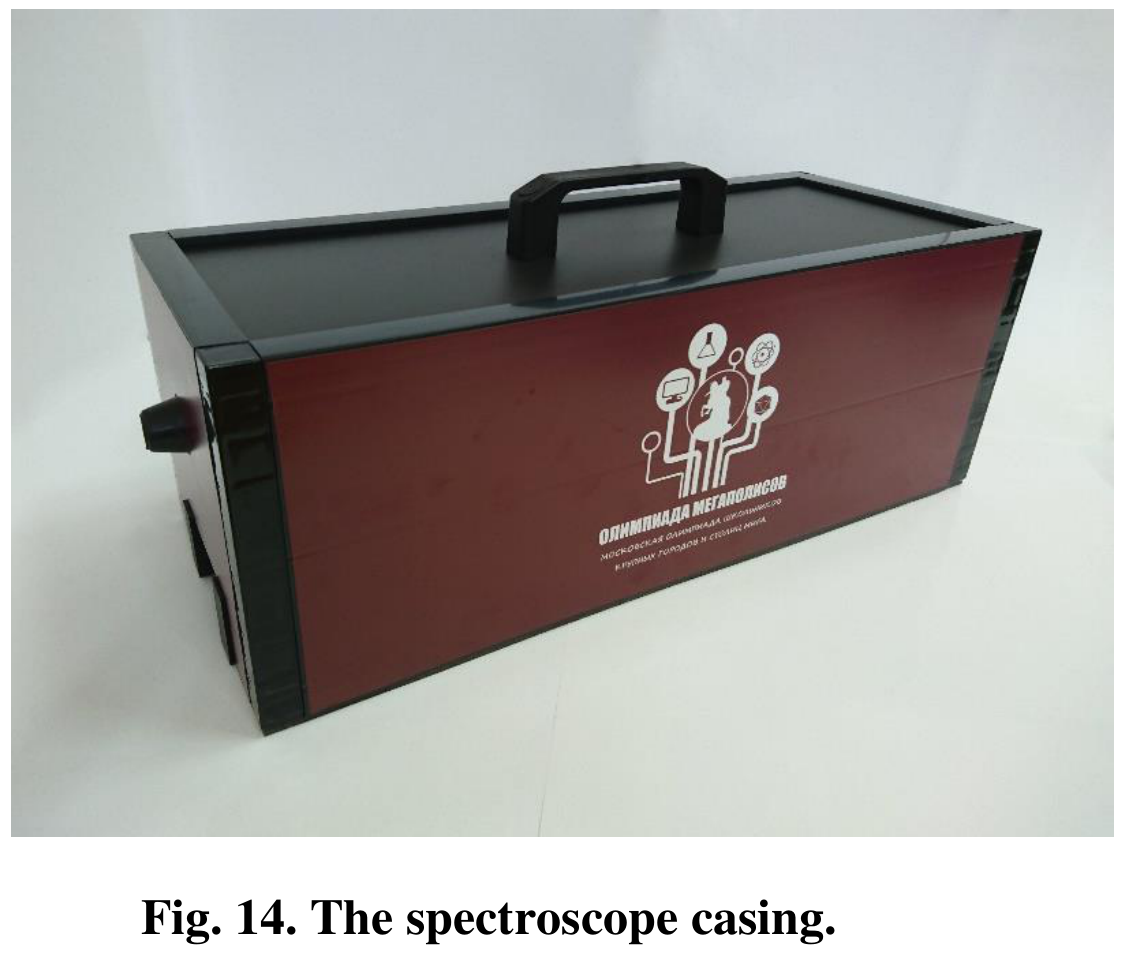
Fig. 14. The spectroscope casing.
To install the casing properly it is necessary to cover all optical elements located behind the entrance slit (the casing slot must fit with the optical rail). Then the casing must be tightly pushed against the entrance slit, so that the rubber cone of the slit become firmly pressed to the cylinder attached behind the entrance slit.
Screen.
The white side of the screen is used to observe the images of the source lights (see Fig.15) during the spectroscope adjustment. To measure the background signal of the spectroscope one should block the light beam from the source with the screen. The beam from the light source must fall on the white side of the screen.
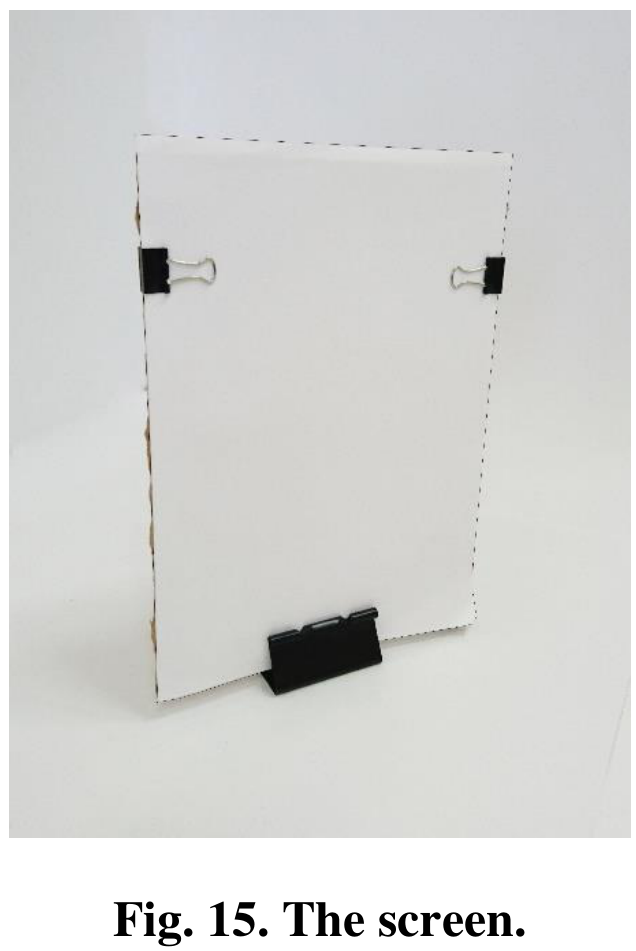
Fig. 15. The screen.
General Remarks.
All optomechanical units discussed above are mounted on special carriages which can be installed on the optical rail.
Each unit or an optical element is mounted on a carriage which can be moved along the optical rail. To move a unit along the rail one should loosen the fixing (nylon) screw, change the unit location, and tighten the screw again.
Some units can be also moved in the horizontal and vertical directions perpendicular to the rail.
This is accomplished either by means of additional short rails and similar carriages, or by minirails and carriages fixed by thumbscrews.
Important! Make sure to fix properly any optical unit and/or element by the corresponding screws after it has been moved at a required position. Otherwise, even a minor push or vibration will cause the optical system to malfunction.
Warning! Working with optical elements requires due care. Do not touch a lens surface and the diffraction grating by fingers or by another object – you can damage the antireflective coating and stain the surface, which would deteriorate the installation parameters. The same is true for the surface of CCD-matrix.
Assignment.
Part 0. Preliminary.
Attention! It would be desirable to begin working on this part during the first 30 minutes of the allotted time. The obtained results will be necessary for doing the last experimental task. You may combine doing the tasks of Part 0 with other (further) experimental tasks.
Ask the laboratory attendant to pour boiling water into the graduated cylinder filled with chopped red cabbage. Let the mixture brew. After about 20 minutes insert the funnel into an empty conical flask. Put a filter in the flask. With due care filter the solution in the cylinder. Leave the filtered solution to cool to the room temperature (for about 40 min – 1 hour).
Assignments of Part 1 and Part 2 are devoted to assembling and adjusting the spectroscope. If in 2.5 hours after the beginning you were not able to assemble and adjust the installation and/or the spectrometer did not work you should refer to the laboratory attendant. Your spectroscope will be adjusted by an expert, so you could proceed with the next experimental tasks.
In this case penalty points will be assigned, up to 30% of the maximum score awarded for the experiment (this depends on the stage at which the assembly and the adjustment were interrupted). The penalty points will be subtracted from the total score!
If you succeeded in assembling and adjusting the spectroscope, refer to the laboratory attendant before attempting the next experimental tasks. The invited member of jury will check the installation. If it has been not assembled properly, you will be given opportunity to correct the mistakes. An incorrectly assembled and/or poorly adjusted spectroscope will produce incorrect results in the next tasks!
Part 1. Assembling Spectroscope.
Important! Make sure to fix properly any optical unit and/or an element by the corresponding screws after it has been moved at a required position. Otherwise, even a minor push or vibration will cause the optical system to malfunction.
Warning! Working with optical elements requires due care. Do not touch a lens surface and the diffraction grating by fingers or by another object – you can damage the antireflective coating and stain the surface, which would deteriorate the installation parameters. The same is true for the surface of CCD-matrix.
1.1 Installing the Light Source.
Install the light source on the optical rail close to its left end, so that the light source casing would not extend over the left end of the rail (see Fig.16). Switch on the halogen bulb and the fan of the light source. The fan is necessary to keep a low temperature of the light source casing during the measurements.
Using the unit of horizontal and vertical displacement of the light source set the center of the halogen bulb opening above the middle of optical rail (by moving the source to the left and right) at the height of 72.5 mm above the rail surface. The bulb filament is not necessarily located at the opening center. If this is the case, it would be better to do the adjustment according to the filament location.
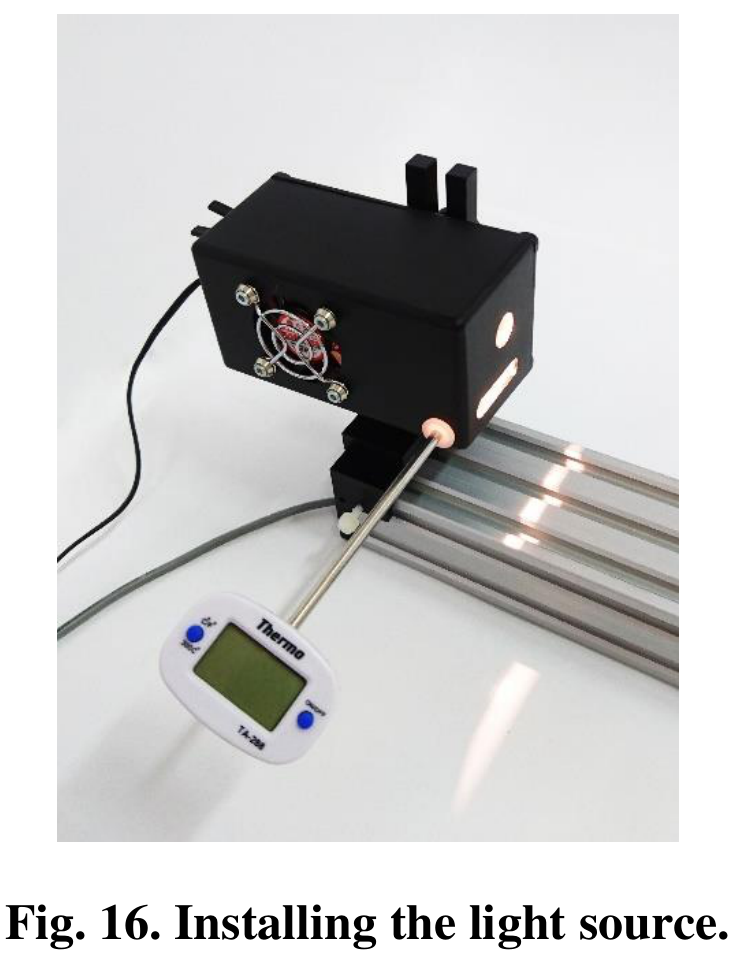
Fig. 16. Installing the light source.
1.2 Installing the Cuvette unit.
Install the minirail carriage with small lenses and the cuvette holder on the optical rail behind the light source (see Fig.17).
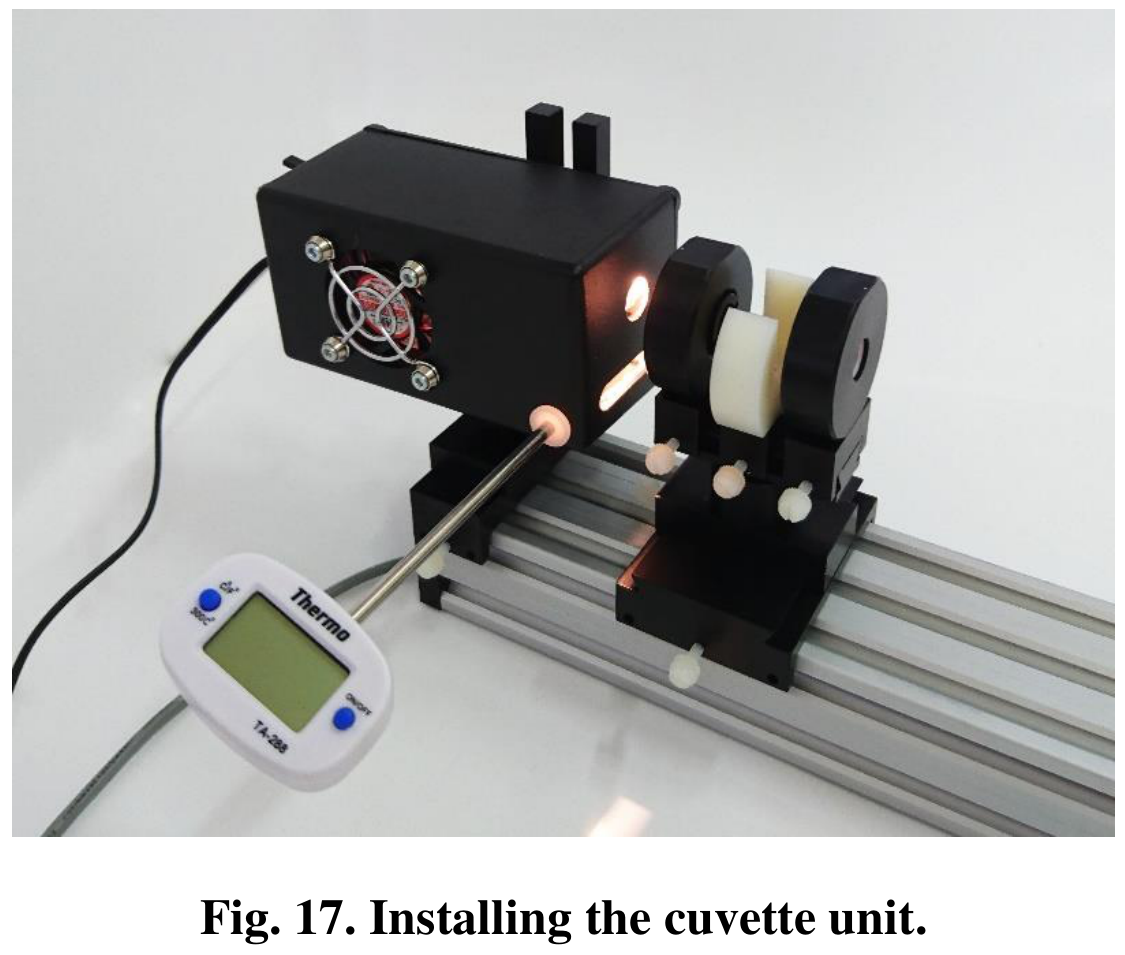
Fig. 17. Installing the cuvette unit.
Leave only the collimator lens (the closest one to the light source, see Fig.18) on the minirail. Place the lens center above the middle of optical rail by moving the whole unit to the left and right.
The lens direction is indicated on the lens top (by an arrow). The light beam must propagate at the direction pointed by the arrow.
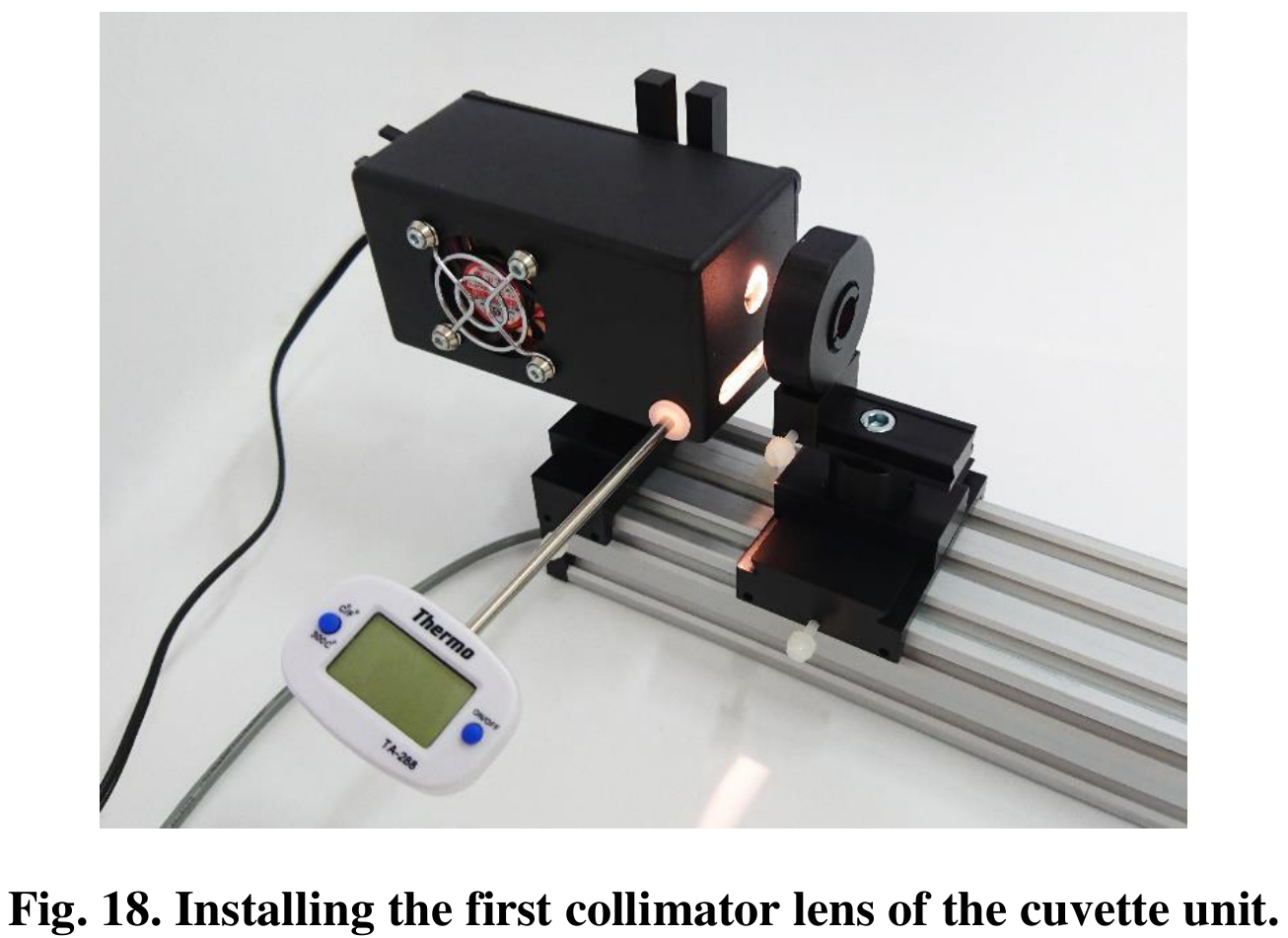
Fig. 18. Installing the first collimator lens of the cuvette unit.
Switch on the halogen bulb and the light source fan. Put the screen at the right end of the optical rail. Obtain a sharp image of the bulb filament on the screen by moving the lens along the optical rail (see Fig.19). Set the image symmetrically with respect to the optical axis by moving the light source to the left and right perpendicular to the axis. Then, set the filament image center at the height of 72.5 mm above the surface of optical rail by moving the light source up and down.
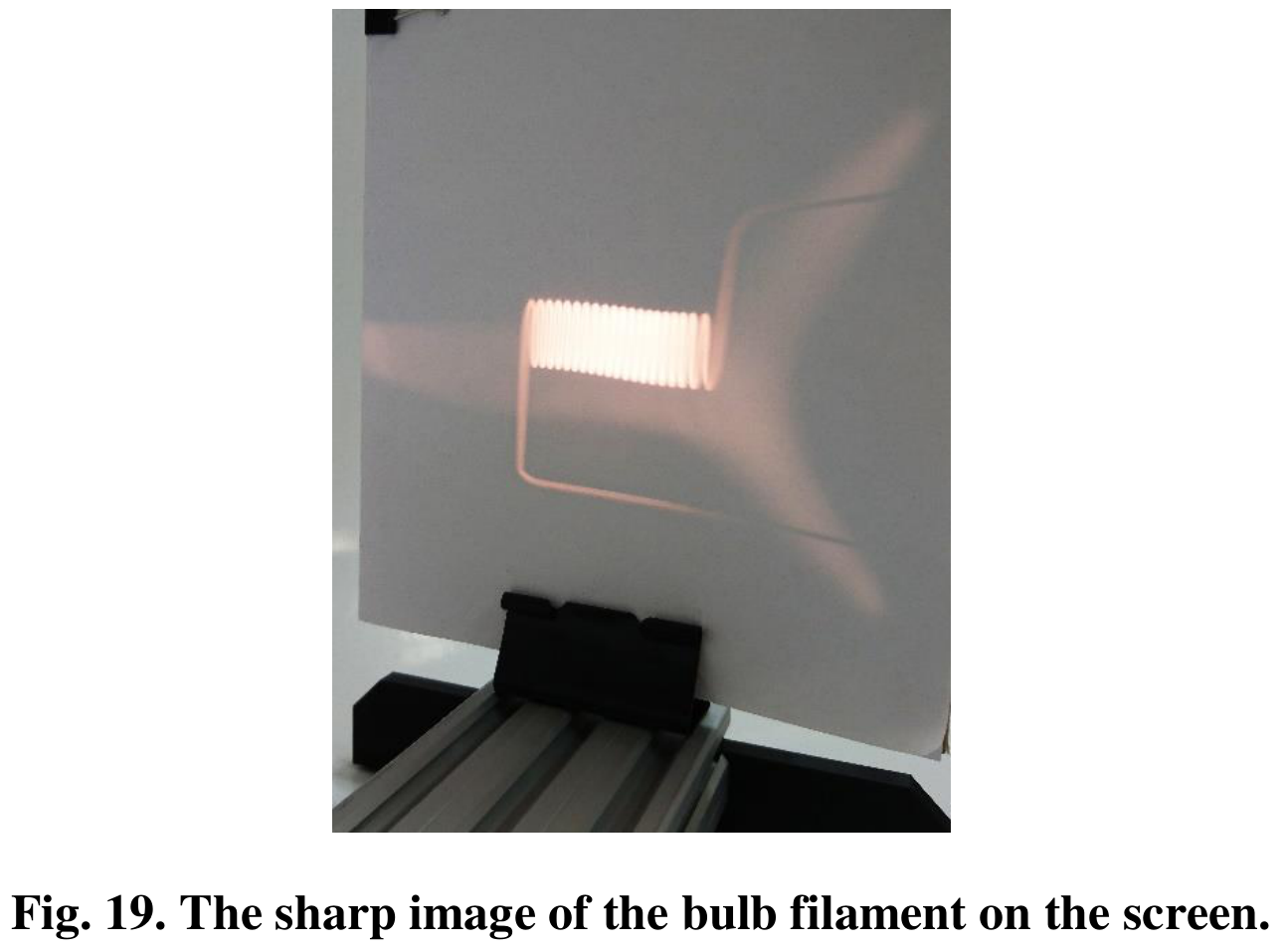
Fig. 19. The sharp image of the bulb filament on the screen.
Then it is necessary to put a lens at the distance of 25 mm from the bulb to collimate the light beam. This can be accomplished only approximately since the bulb filament is not a point-like light source, nevertheless, this would be enough. To do this, move the lens to the bulb till the filament image on the screen becomes so blurred that the thinnest line of the image would be approximately 10 mm thick (see Fig.20). Alternatively, you can move the screen at a distance of about 2 meters from the light source and obtain the sharp filament image on the screen by moving the light source while the lens position is held fixed.
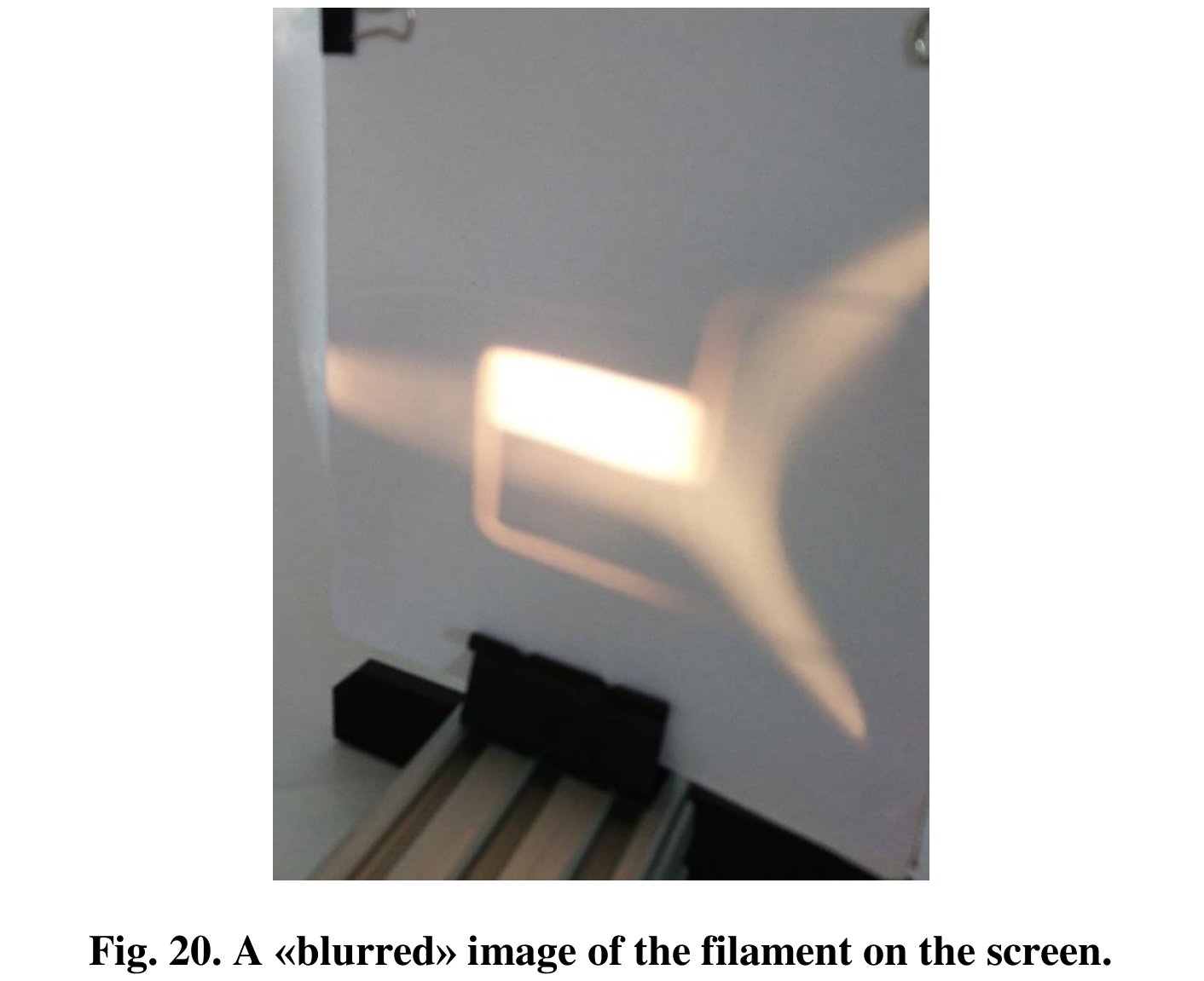
Fig. 20. A «blurred» image of the filament on the screen.
Place the cuvette holder and the second condenser lens on the minirail carriage (see Fig.21). The condenser lens must be as far to the minirail right end as possible. Fix both elements.
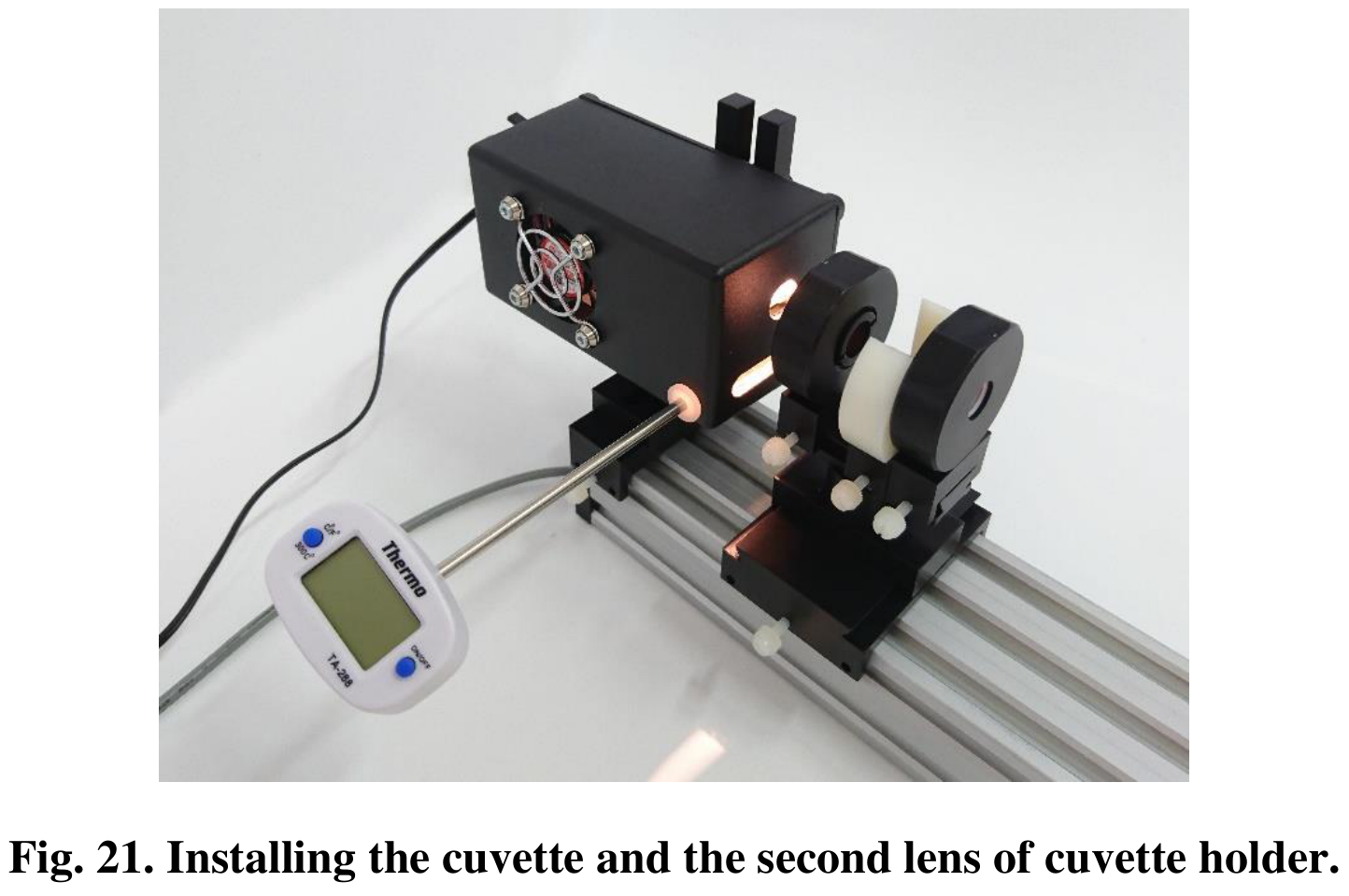
Fig. 21. Installing the cuvette and the second lens of cuvette holder.
Now the light source beam is collimated by the first lens. The approximately parallel beam passes through the cuvette location and then it is focused at the distance of 25 mm behind the condenser lens (see Fig.22).
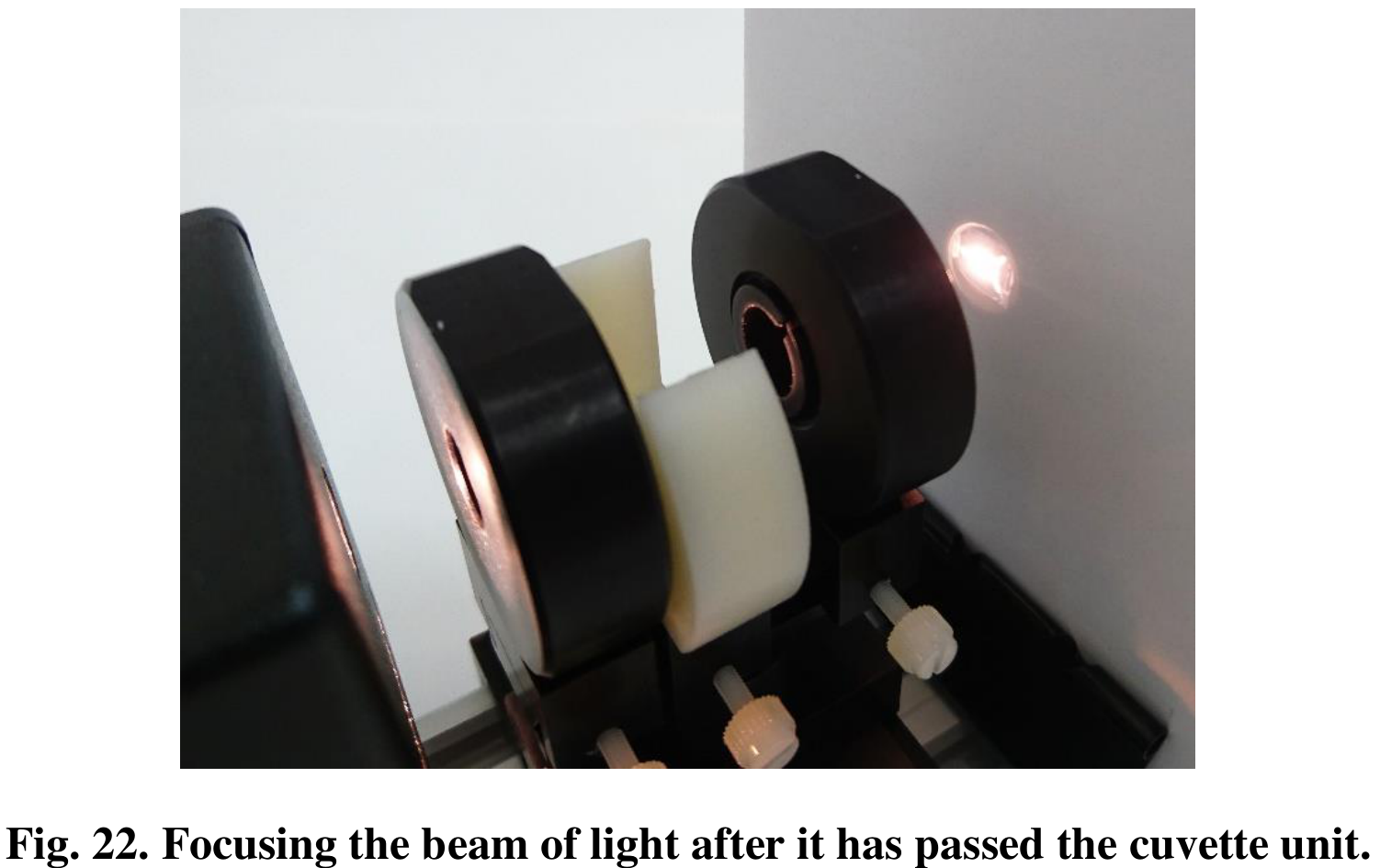
Fig. 22. Focusing the beam of light after it has passed the cuvette unit.
1.3 Installing the Diaphragm (the Entrance Slit).
The diaphragm (and the entrance slit afterwards) must be placed at the focal point of a small condenser lens. To this end, place the diaphragm unit on the optical rail. Remove the plate with the slits from the unit to release the 0.5 mm diaphragm. The diaphragm unit can be moved only along the optical rail (because it is already installed and correctly fixed in the holder).
For further adjustment put the screen behind the diaphragm at a distance of 3-4 cm from it. Move the image resembling the bulb filament at the center of a dimly lit circle on the screen by moving the light source horizontally and vertically perpendicular to the optical rail (see Fig.23).
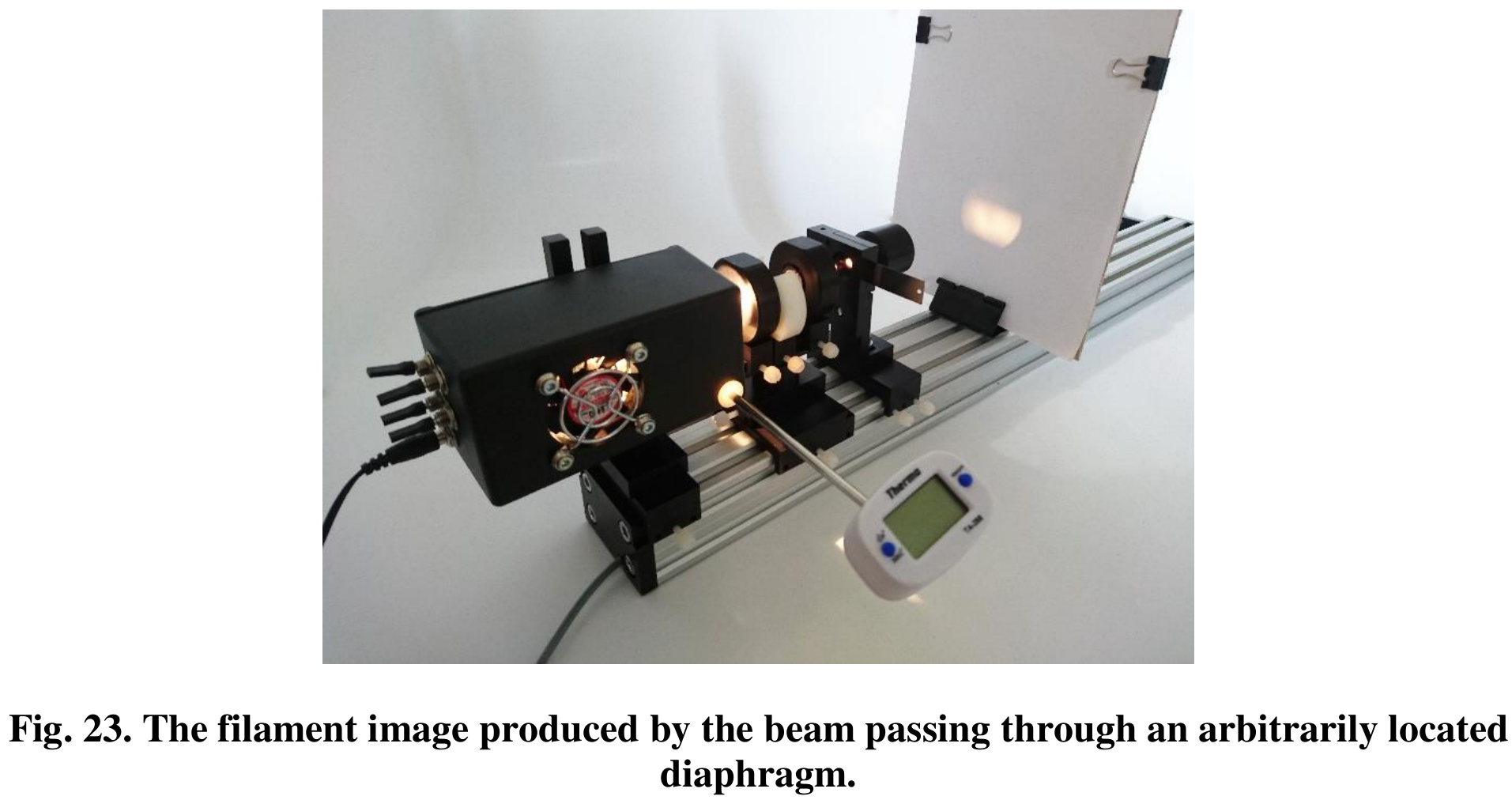
Fig. 23. The filament image produced by the beam passing through an arbitrarily located diaphragm.
If necessary, the same procedure must be performed by moving the cuvette unit in the horizontal plane. The unit should not be disturbed if it is placed more or less at the middle of the optical rail, only the light source should be adjusted. It is convenient to adjust the light source position by watching the bulb filament image on the diaphragm casing (see Fig.24).
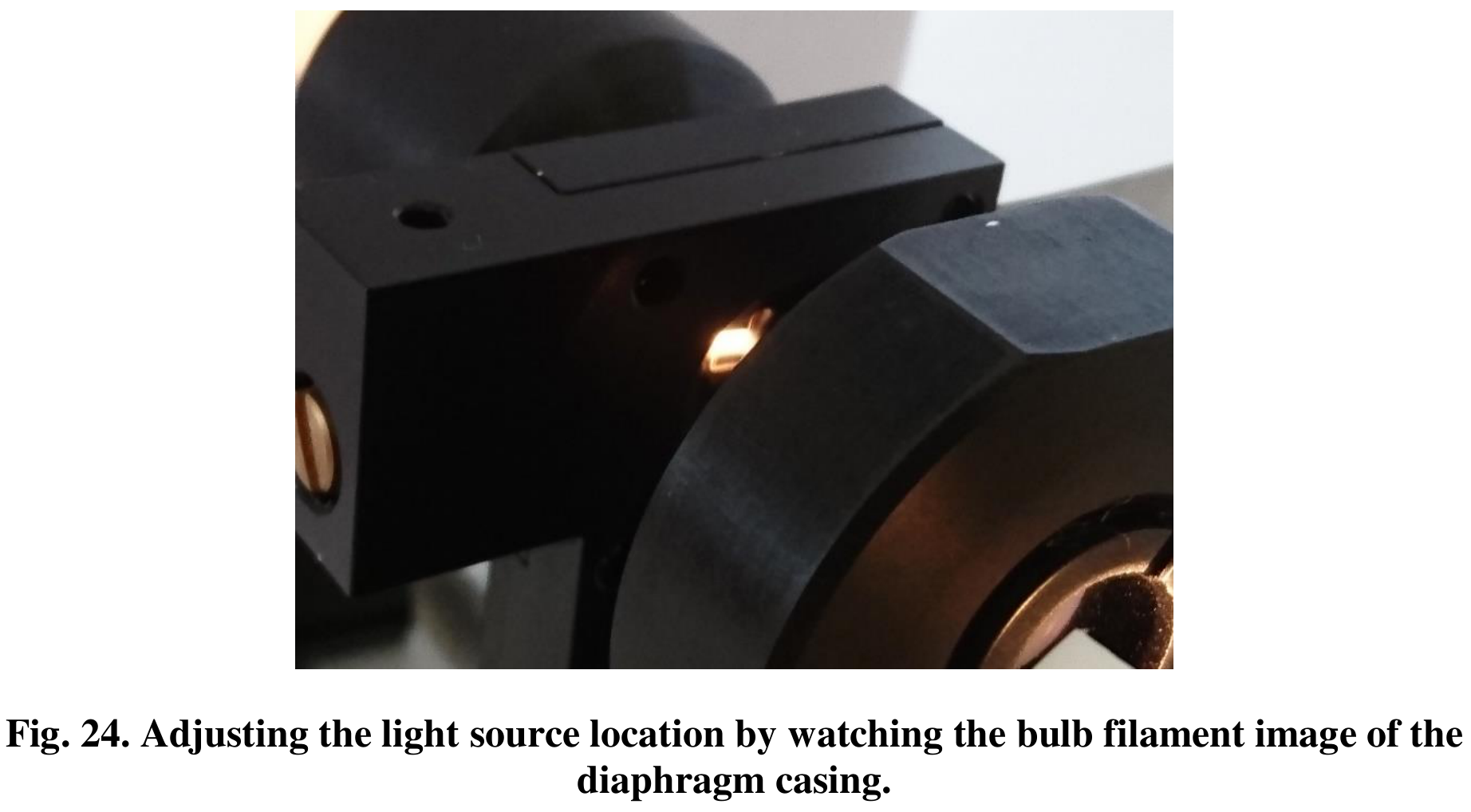
Fig. 24. Adjusting the light source location by watching the bulb filament image of the diaphragm casing.
Then, obtain an almost uniformly lit circle on the screen by moving the diaphragm unit along the optical rail (see Fig.25). This would mean that the diaphragm is located precisely at the position where the light beam is focused.
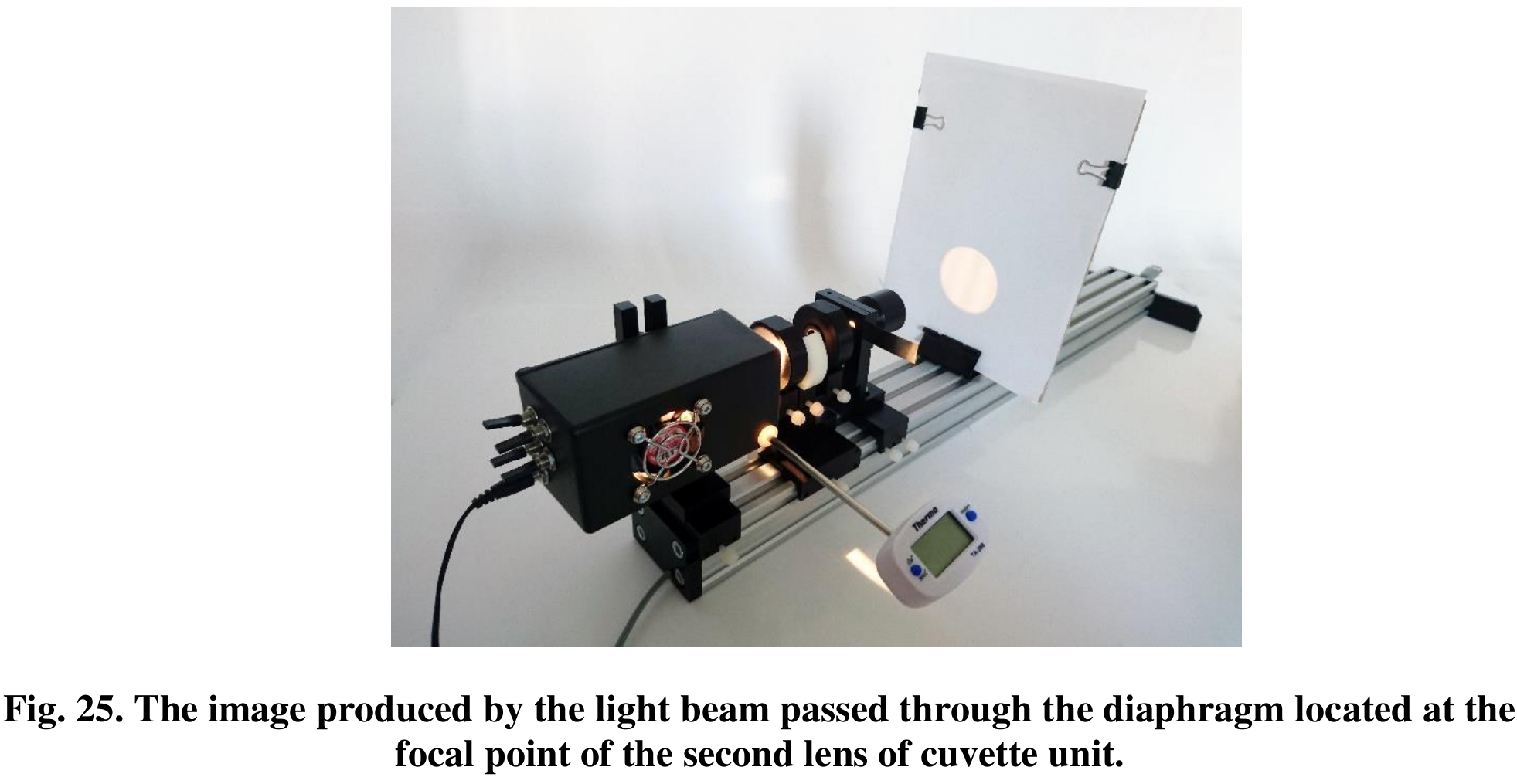
Fig. 25. The image produced by the light beam passed through the diaphragm located at the focal point of the second lens of cuvette unit.
Using the ruler verify that the center of the illuminated circle is located above the middle of the optical rail at the height of 72.5 mm.
1.4 Installing the Large Collimator Lens.
Place the large collimator lens on the optical rail behind the diaphragm (see Fig.26).
Measure the working aperture of the lens (about 38 mm) with the ruler. Do not touch the lens surface.
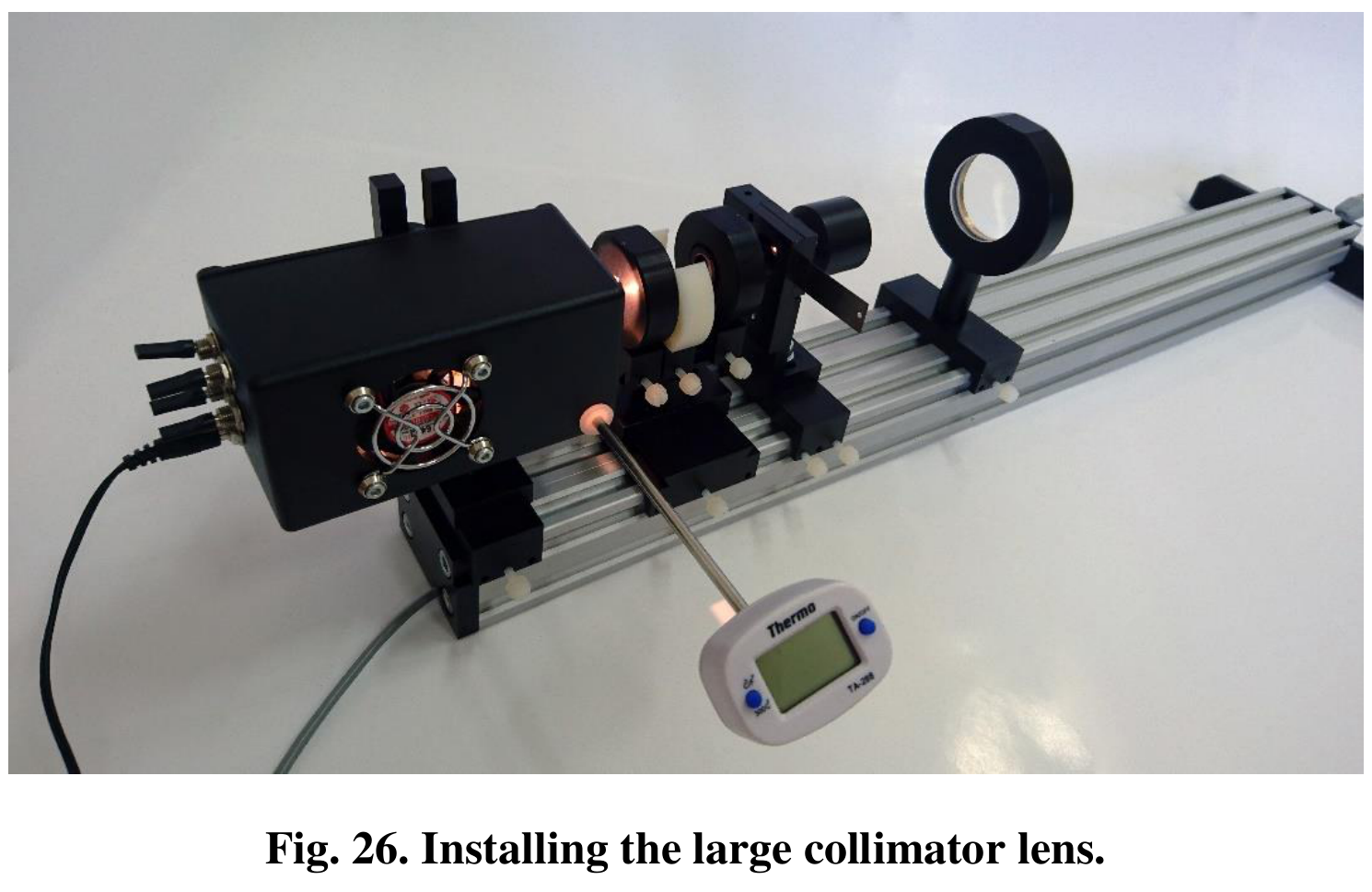
Fig. 26. Installing the large collimator lens.
Use the screen and the ruler to install the large collimator lens precisely. Place the screen at a small distance from the lens. Make sure that the light spot on the screen is about the same size as the working aperture of the large collimator lens (see Fig.27).
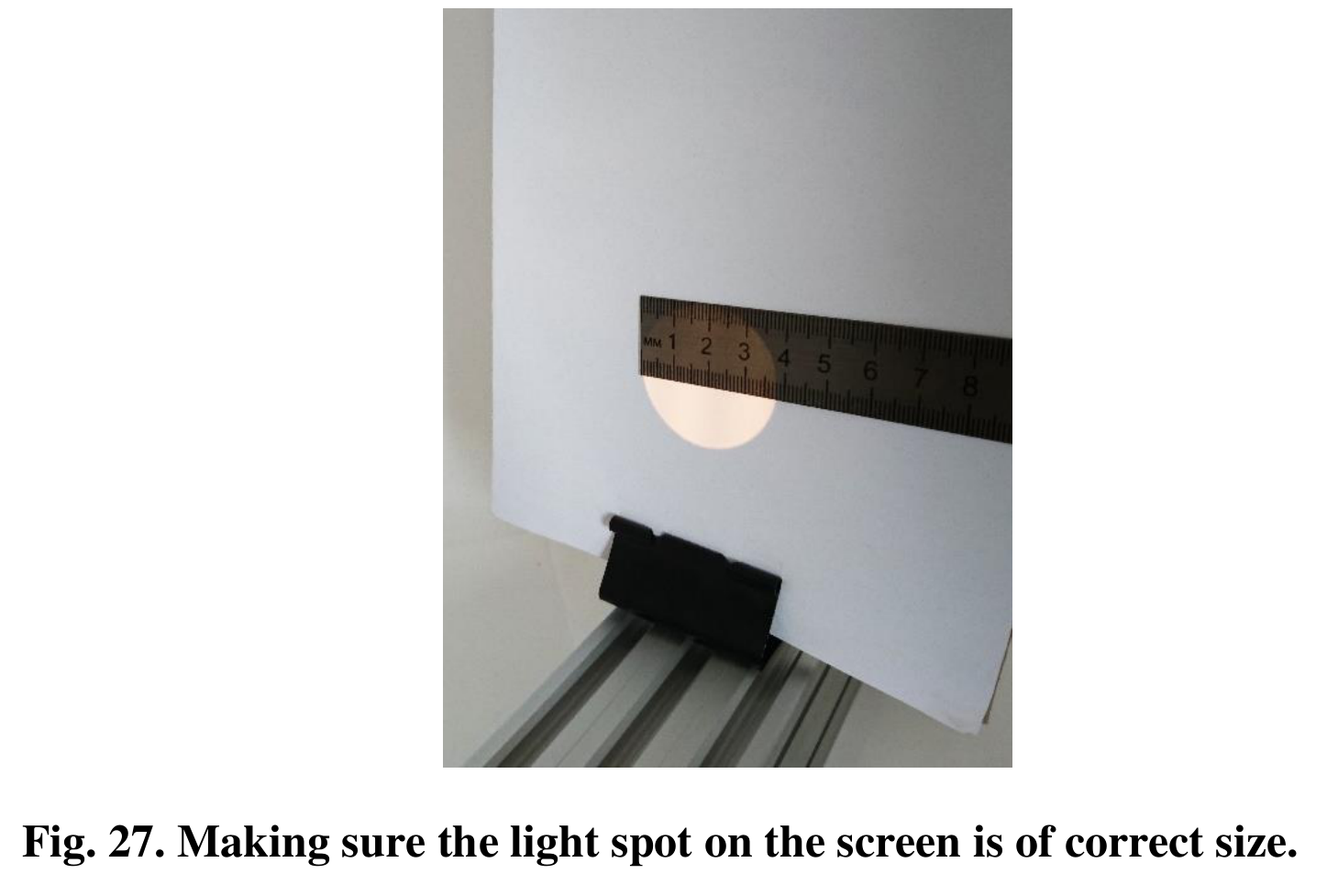
Fig. 27. Making sure the light spot on the screen is of correct size.
Now it is necessary to collimate the light beam. To this end, it is necessary to measure the light spot diameter on the screen located at a distance of 0.5 m (or more) from the large collimator lens.
If the light spot diameter increases or decreases when the distance from the lens varies, the collimator lens must be moved a bit along the optical rail in the necessary direction. The lens location must be adjusted so that the light spot near the lens and at a significant distance from it would be approximately the same.
Estimate the focal length of the large collimator lens. Write the obtained value (in mm) on the answer sheet.
1.5 Installing the Diffraction Grating.
Install the diffraction grating unit on the optical rail as close to the large collimator lens as possible (see Fig.28).
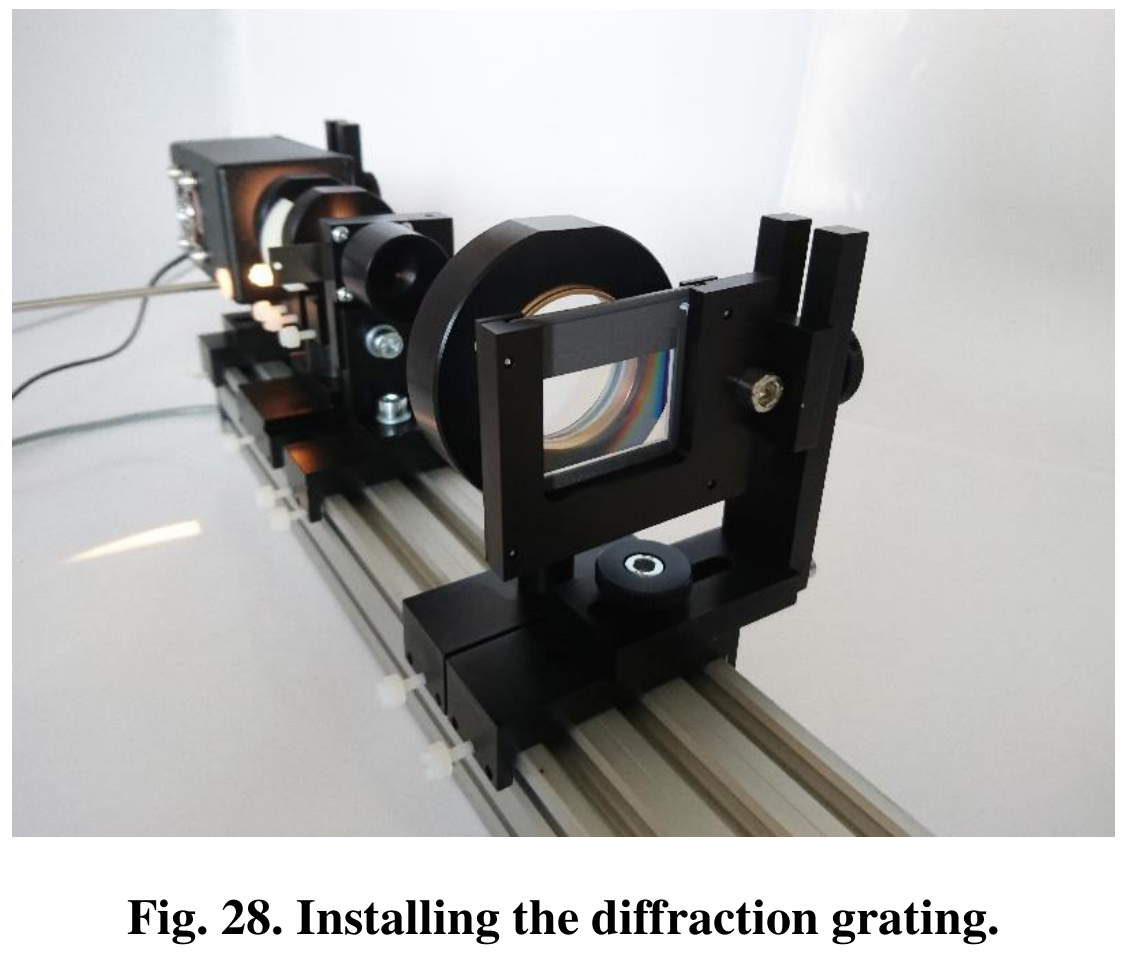
Fig. 28. Installing the diffraction grating.
Make sure the diffraction grating is centered on the optical axis and perpendicular to it. If necessary, adjust the grating position by moving it up and down and to the left and right by means of the carriages and fixing screws.
1.6 Installing the Large Condenser Lens.
Place the large condenser lens as close to the diffraction grating as possible (see Fig.29).
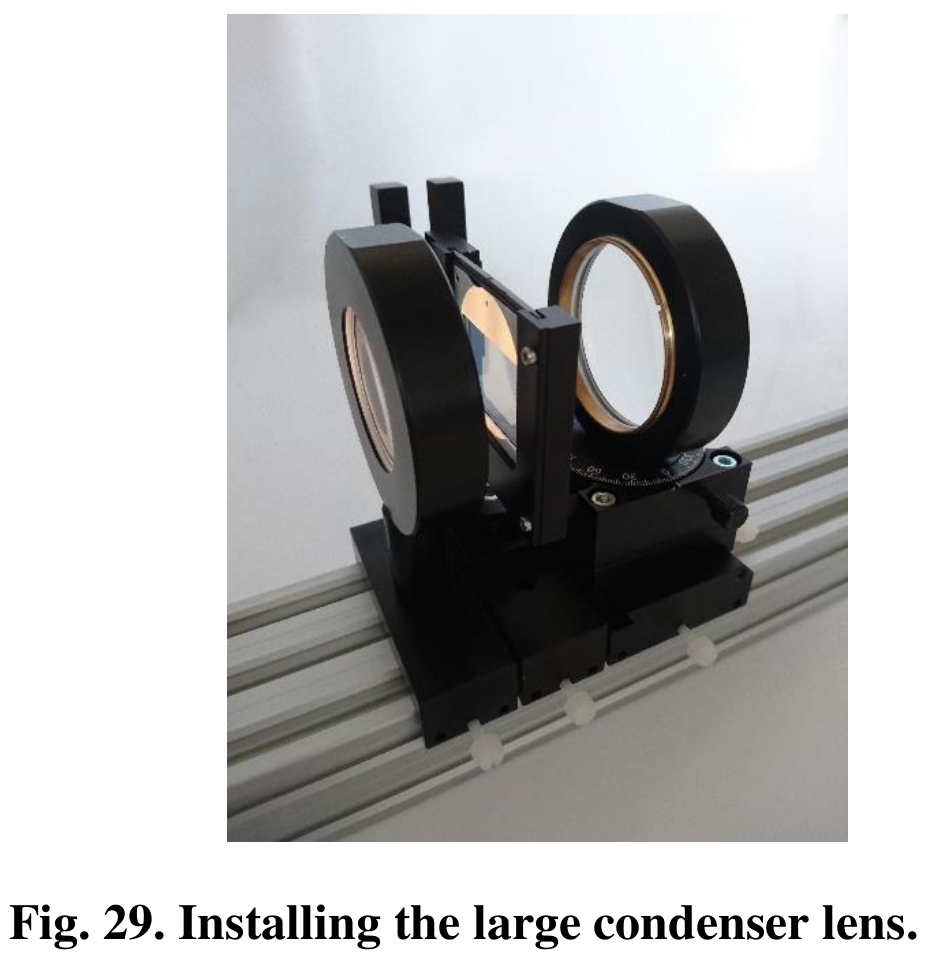
Fig. 29. Installing the large condenser lens.
The condenser lens is installed on a carriage, which enables it to be moved perpendicular to the optical axis, and on a turntable which makes it possible to set the lens at a certain angle. Firstly, place the lens so that the zero order of diffraction, the white (achromatic) spot, is on the optical axis, i.e. the white spot must be at the middle of the optical rail surface and at the height of 72.5 mm above it (see Fig.30).
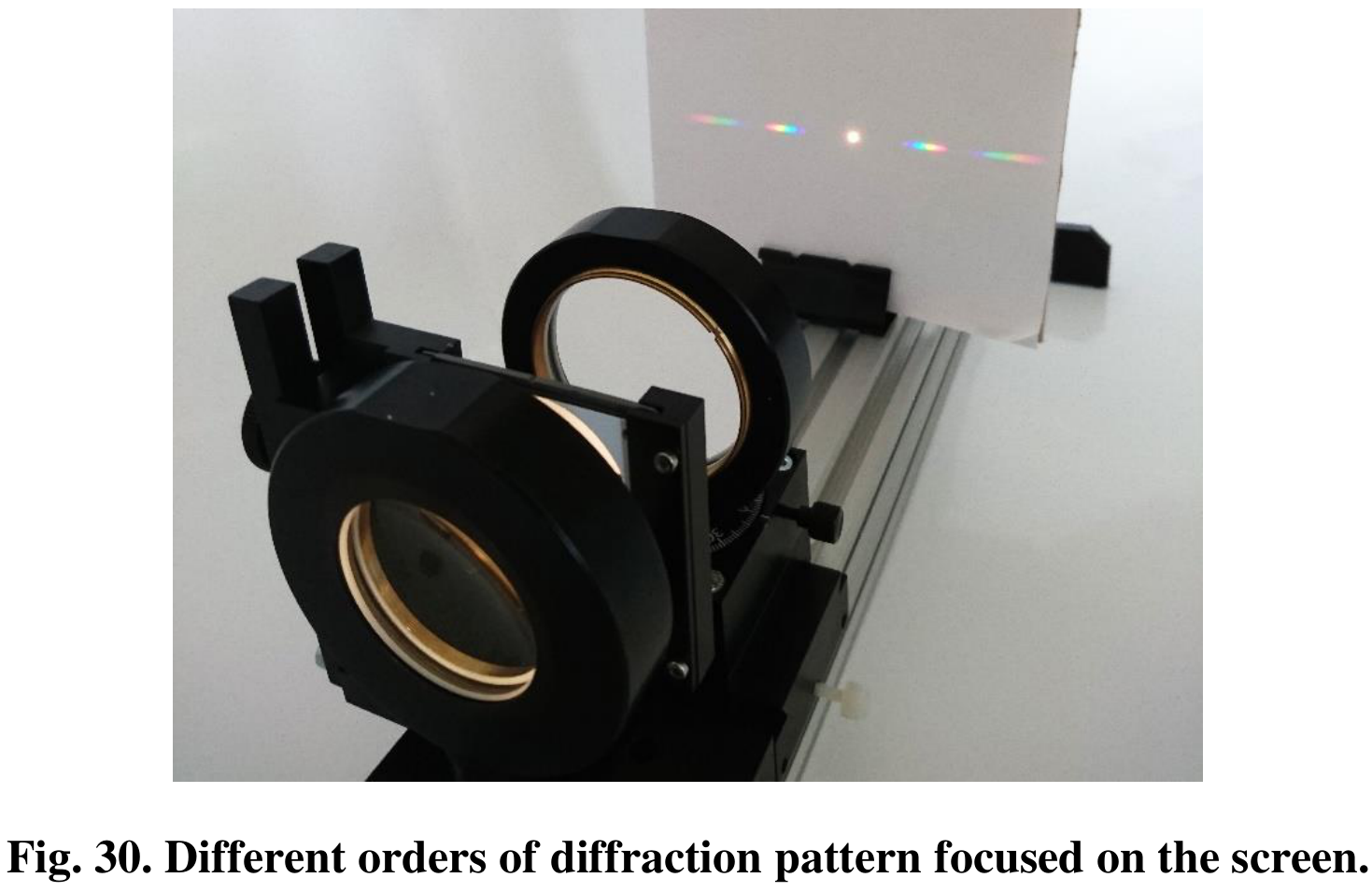
Fig. 30. Different orders of diffraction pattern focused on the screen.
Observe different orders of diffraction pattern on the screen (see Fig.31).
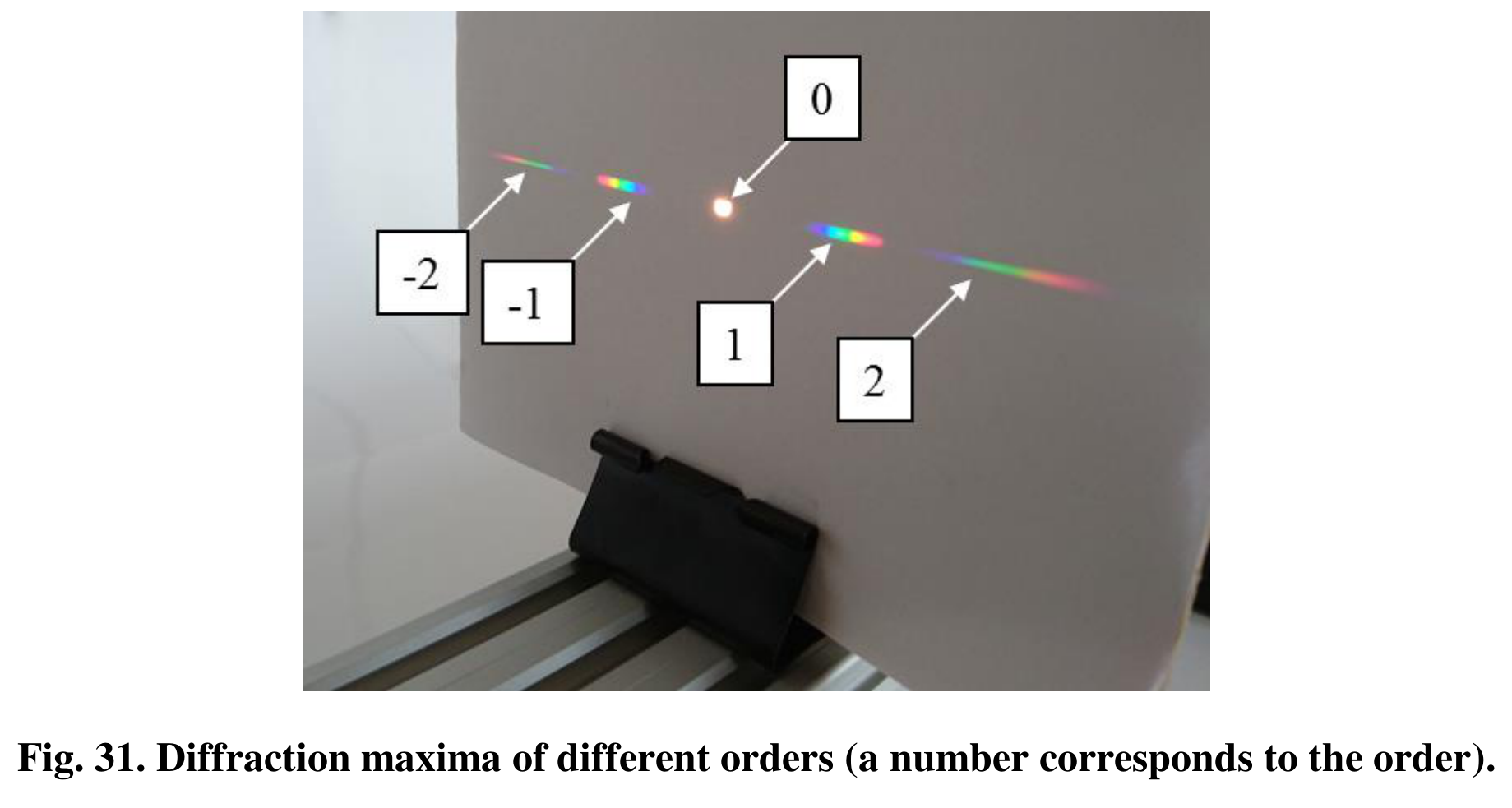
Fig. 31. Diffraction maxima of different orders (a number corresponds to the order).
Estimate the focal length of the large collimator lens (in mm). Write the result on the answer sheet.
Estimate the number of slits per millimeter for the diffraction grating used. Write the result on the answer sheet. Explain the measurements done by writing necessary equations and by drawing sketches on the answer sheet.
1.7 Adjusting Position of the Large Condenser Lens.
The first order of diffraction located to the right of the zero order (if viewed along the direction of beam propagation) is suggested as the operating order of the spectrometer. To reduce a distortion of the entrance slit image the large condenser lens must be moved perpendicular to the optical axis at a distance of 6 mm and turned by an angle of 16 degrees, so that the lens is perpendicular to the direction of the first diffraction order (see Fig.32).
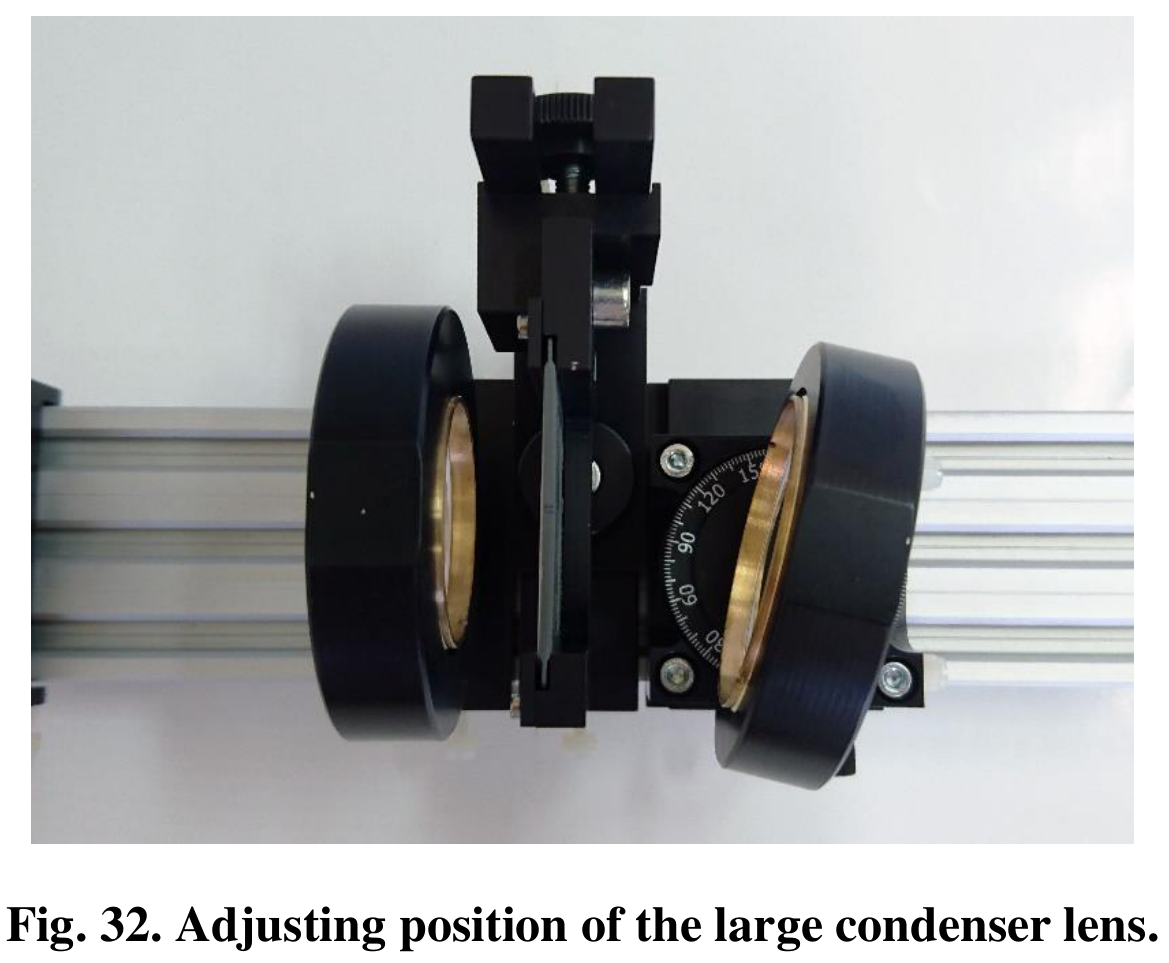
Fig. 32. Adjusting position of the large condenser lens.
1.8 Installing the CCD-matrix.
Install the unit with the CCD-matrix on the optical rail as far as possible from the large condenser lens (see Fig.33).
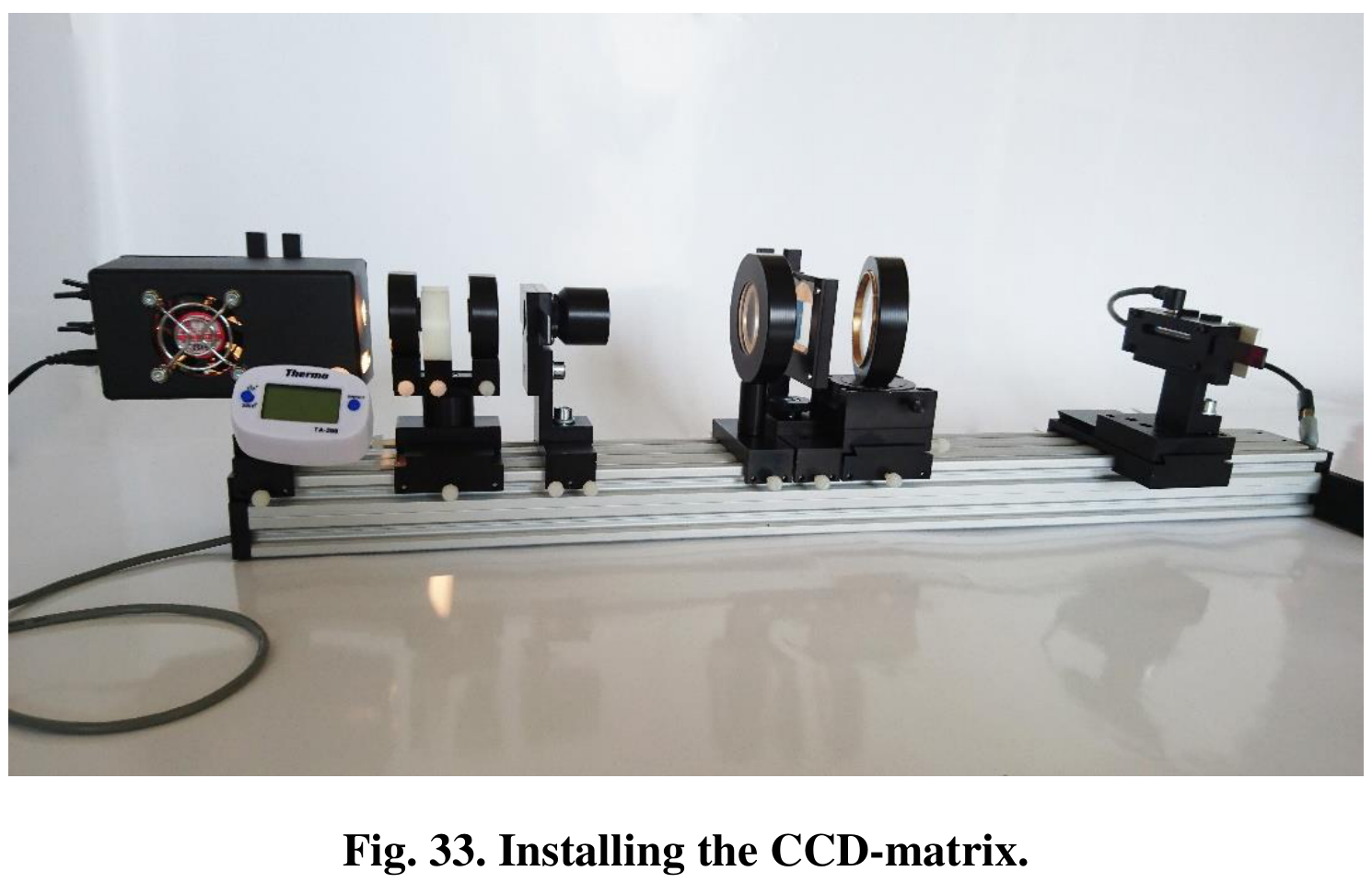
Fig. 33. Installing the CCD-matrix.
Using the screen find the location where the first order of diffraction is focused. Install the CCD-matrix so that the blue part of the first diffraction order spectrum falls on the left end of sensitive area of the CCD-matrix (see Fig.34). In so doing, the second diffraction order will also fall on the CCD-matrix but on the right.
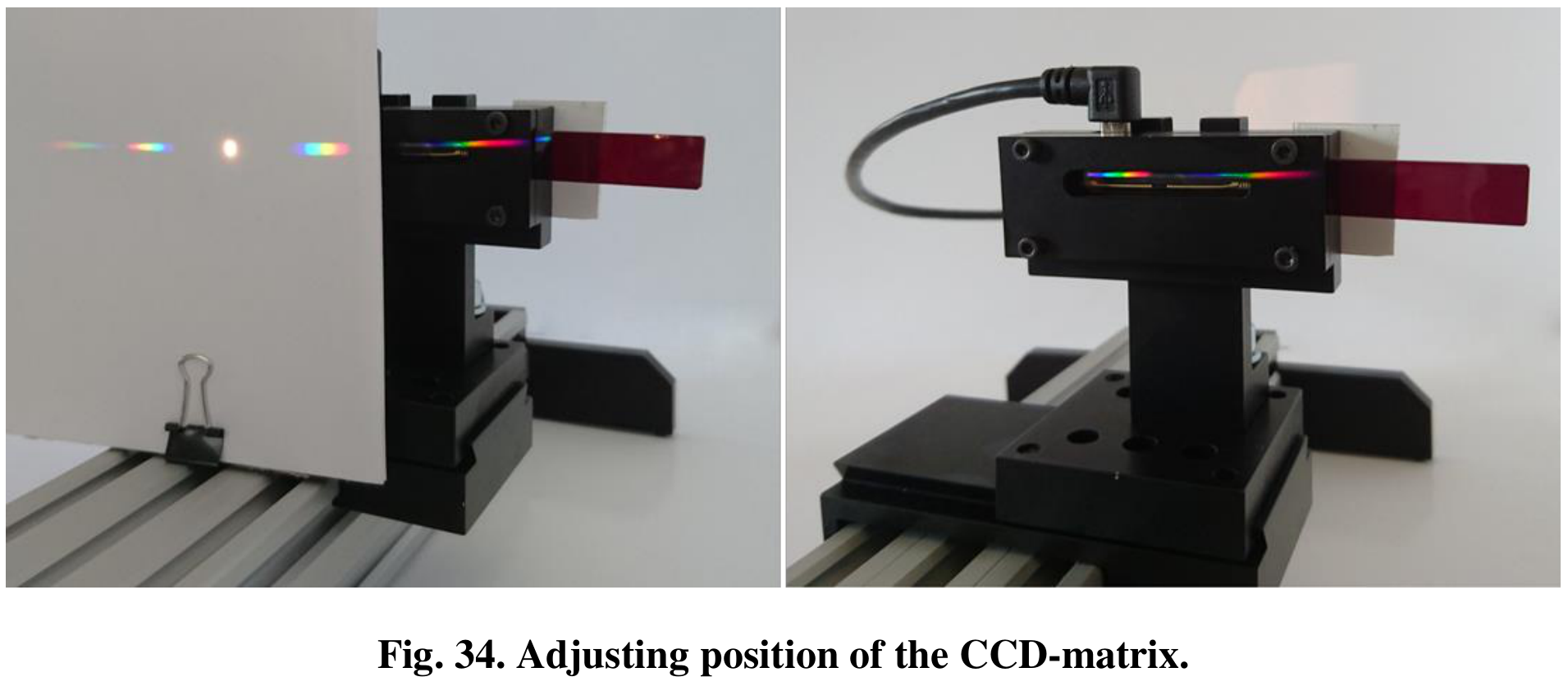
Fig. 34. Adjusting position of the CCD-matrix.
Insert the plate with the slits in the slit holder (the plate is inserted all the way to the stop with magnetic latch). In this case the working slit has the width of 40 μm.
Verify positions of the slit and the cuvette unit again. To do this, inspect the light beam right after the slit. You should observe an almost uniformly lit circle (see Fig.35).
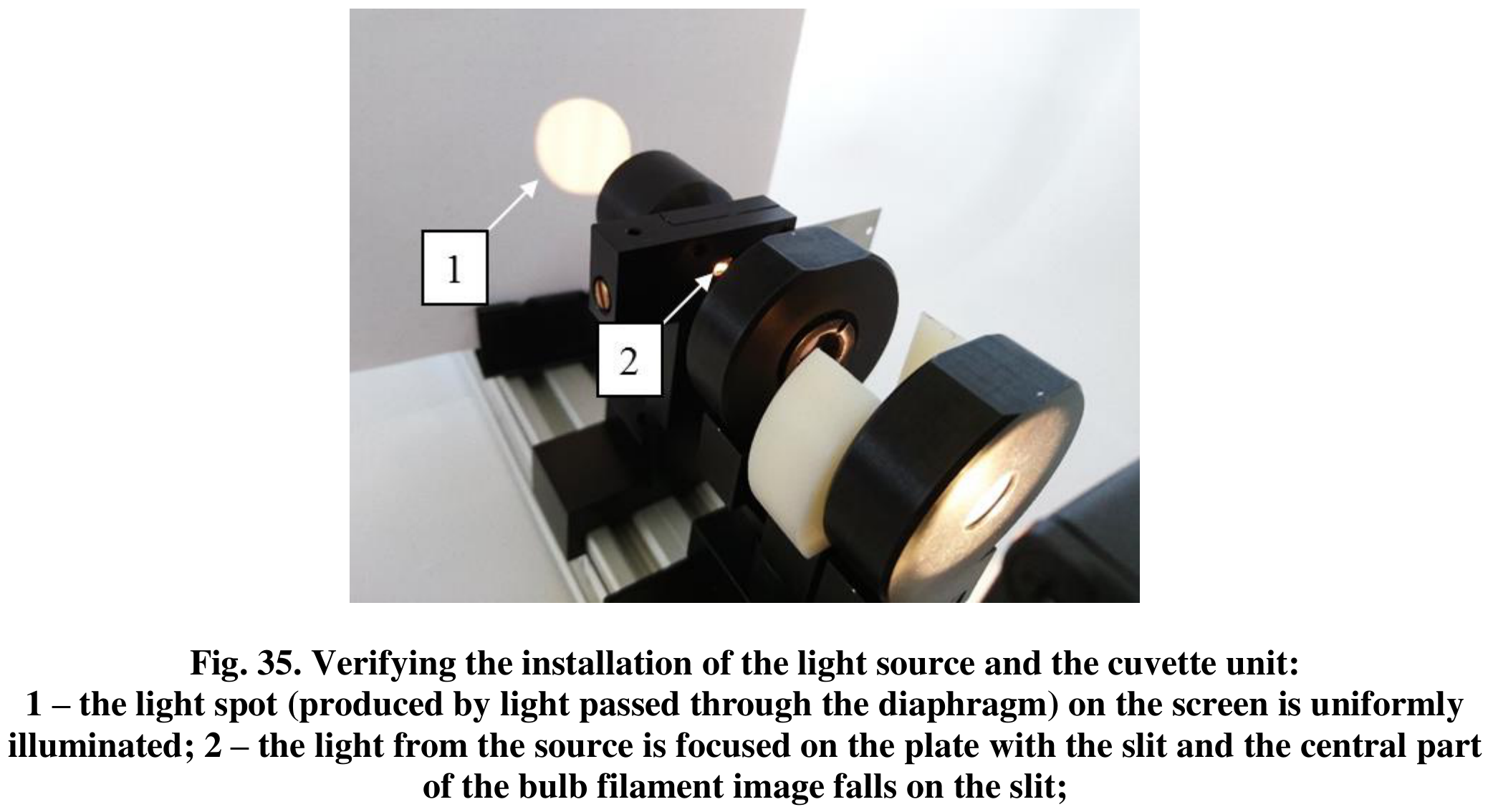
Fig. 35. Verifying the installation of the light source and the cuvette unit: 1 – the light spot (produced by light passed through the diaphragm) on the screen is uniformly illuminated; 2 – the light from the source is focused on the plate with the slit and the central part of the bulb filament image falls on the slit;
If the beam is not bright enough to observe the spot, pull carefully the plate from its holder until the 40 μm slit is replaced with the 100 μm slit.
If necessary, readjust the light source position in the horizontal and vertical directions. You can do the adjustment by inspecting the filament image on the plate with slits.
Further all measurements are done with the 40 μm slit.
Part 2. Adjusting the Spectroscope.
2.1 The Precise Adjustment of Spectroscope Elements.
The precise adjustement of the CCD-matrix position requires a software. Check the connection of the CCD-matrix and the PC. Launch the code. The launch icon is located on the monitor desktop. Choose the options (Tab) and (Calibration). Set the mode of automatic exposure choice (Integration time Auto). Press the button Start: the signal from the CCD-matrix will be displayed on the monitor.
Switch the halogen bulb off and the violet LED on. Adjust the position of the CCD-matrix (by moving it a little bit up and down and to the left and right) so that the spectral curve corresponding to the violet LED appears on the screen (see Fig.36).
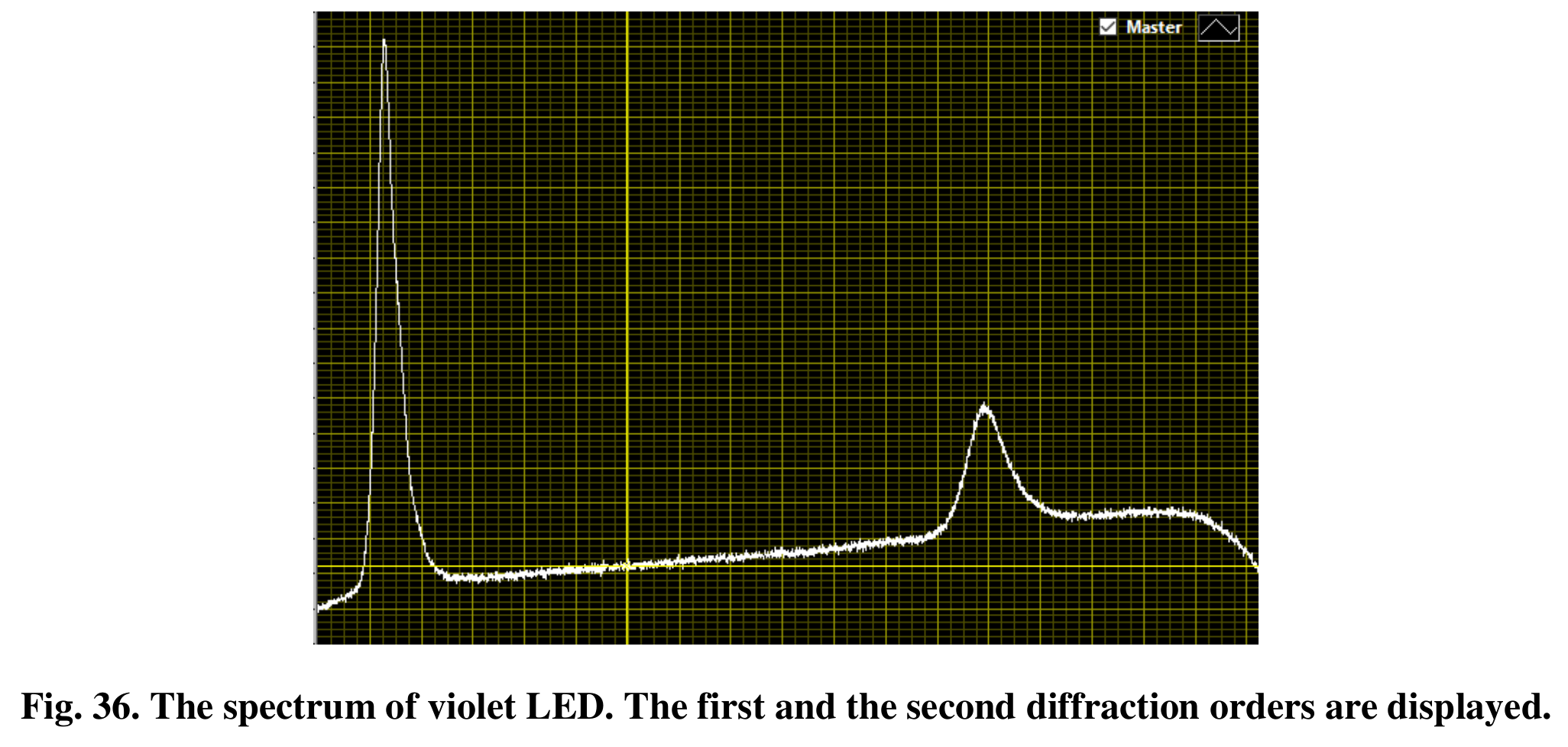
Fig. 36. The spectrum of violet LED. The first and the second diffraction orders are displayed.
Obtain the maximum signal for the first order maximum by moving the CDD-matrix up and down.
Rotate the diffraction grating slightly around the optical axis in order to obtain a clear signal of the second diffraction order but without a significant reduction of intensity of the first diffraction order maximum (see Fig.37).
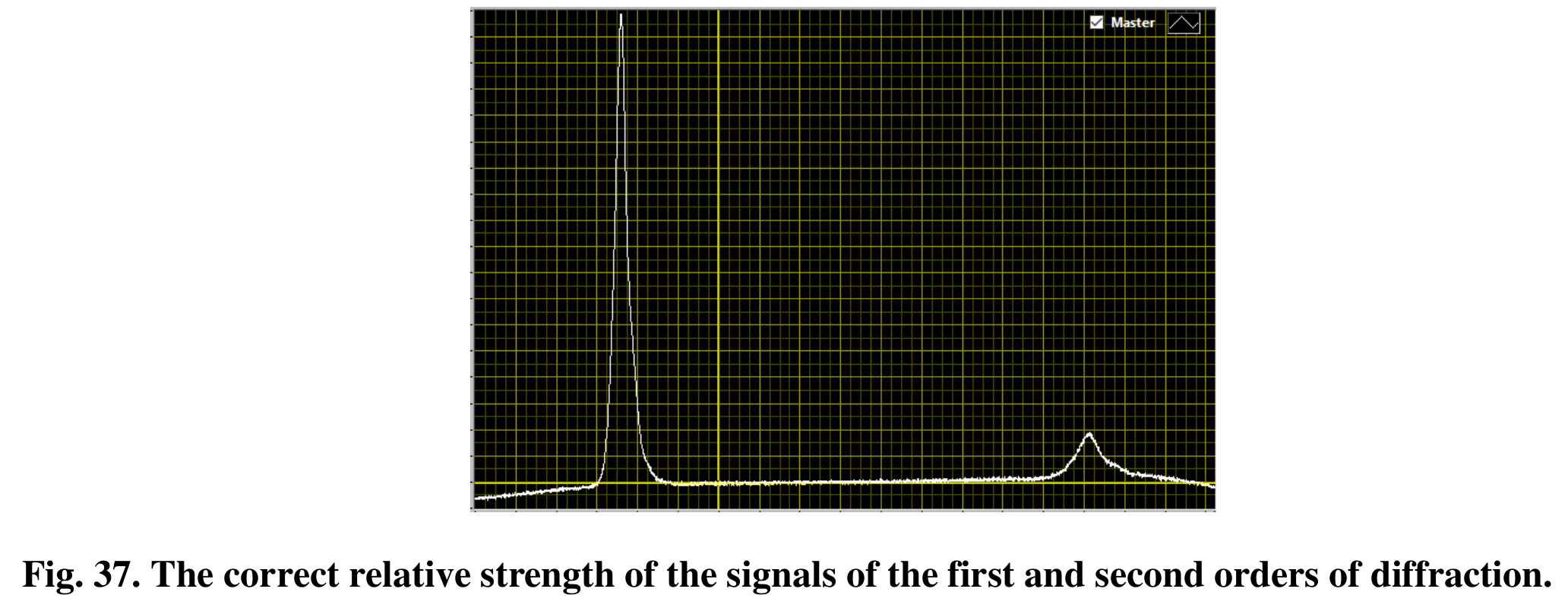
Fig. 37. The correct relative strength of the signals of the first and second orders of diffraction.
Readjust the elevation of the CCD-matrix if necessary.
Now it is necessary to adjust precisely the CCD-matrix position along the optical axis, the CCD-matrix must be located at the focal point of the large collimator lens. To this purpose, move the CCD-matrix carriage along the rail and find the location at which the first order diffraction peak of the blue LED on the screen has the smallest width.
Now move the CDD-matrix perpendicular to the optical rail in the horizontal direction, so that the first order of diffraction has been shifted to the left end of the light sensitive area of the CDD-matrix (see Fig.38).
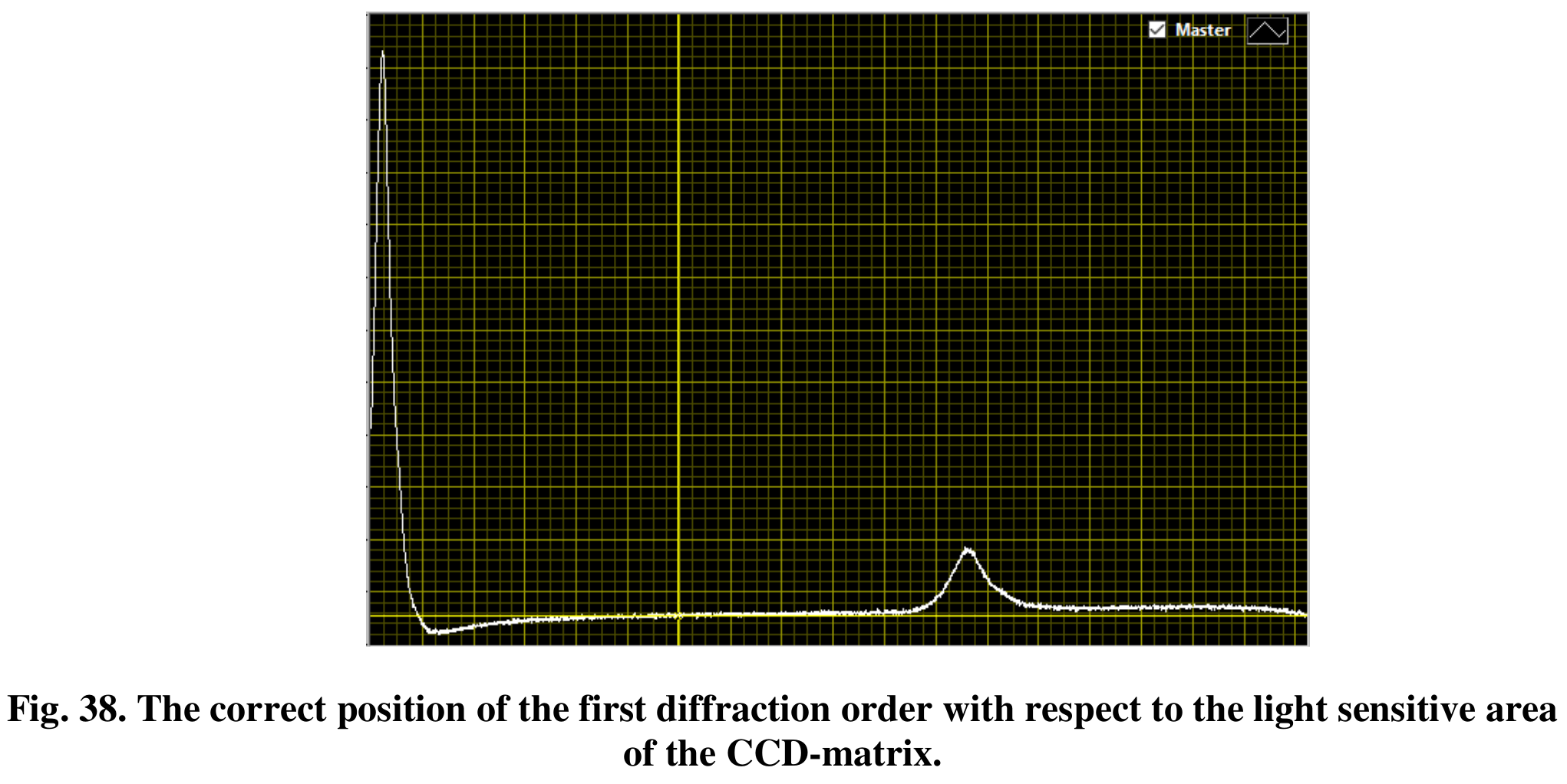
Fig. 38. The correct position of the first diffraction order with respect to the light sensitive area of the CCD-matrix.
2.2 Calibration of the Spectrometer.
The wavelength calibration of the spectrometer is performed by means of the violet LED. The first and the second diffraction orders of the grating are used and it is assumed that angular dependence of diffraction on wavelength is linear.
Set the mode of automatic choice of exposure (Integration time Auto). Set the averaging over spectra at «20». Press the button Start: the signal from the CCD-matrix will be displayed on the screen.
Determine the cell number of the CCD-matrix corresponding to the maximum of the spectrum peak of the first order of diffraction by using the cursor. Type this number into the calibration table in the Pixels column. Type the wavelength in nanometers (405 nm) in the second column (Wavelength), see Fig.39.
Similarly determine the cell number of the CCD-matrix corresponding to the maximum of the second order of diffraction and type it into the calibration table. This cell corresponds to the doubled wavelength (810 nm) compared to the first order.
After the required values have been typed into the table press the button Calibrate. The abscissa of the displayed plot will change its numerical values and the legend: now it displays a wavelength.
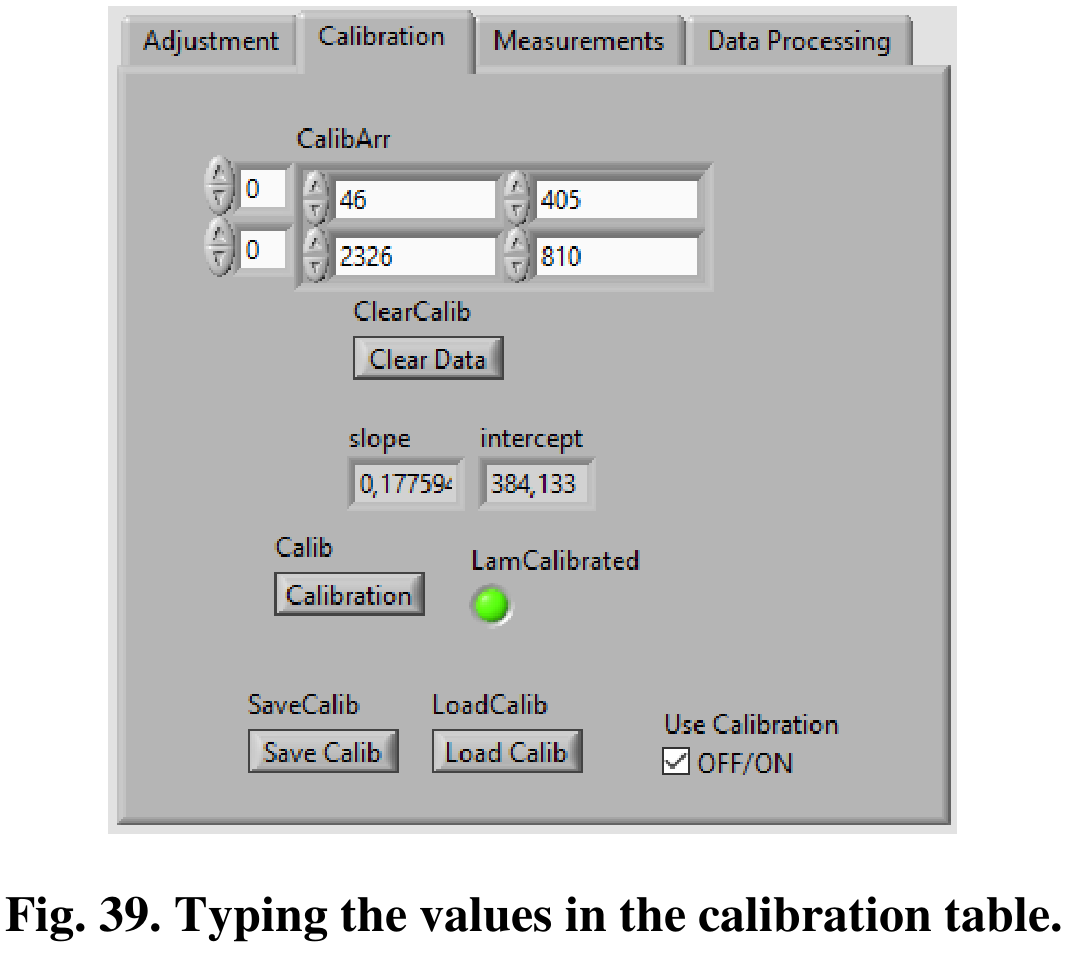
Fig. 39. Typing the values in the calibration table.
You can determine the location of a spectral peak maximum with a better accuracy (see Fig.40). To do this, stop accumulating data from the CCD-matrix (Stop button) and enlarge the displayed area on the plot by using the instrument «Лупа» («Magnifier») located under the left corner of the plot window.
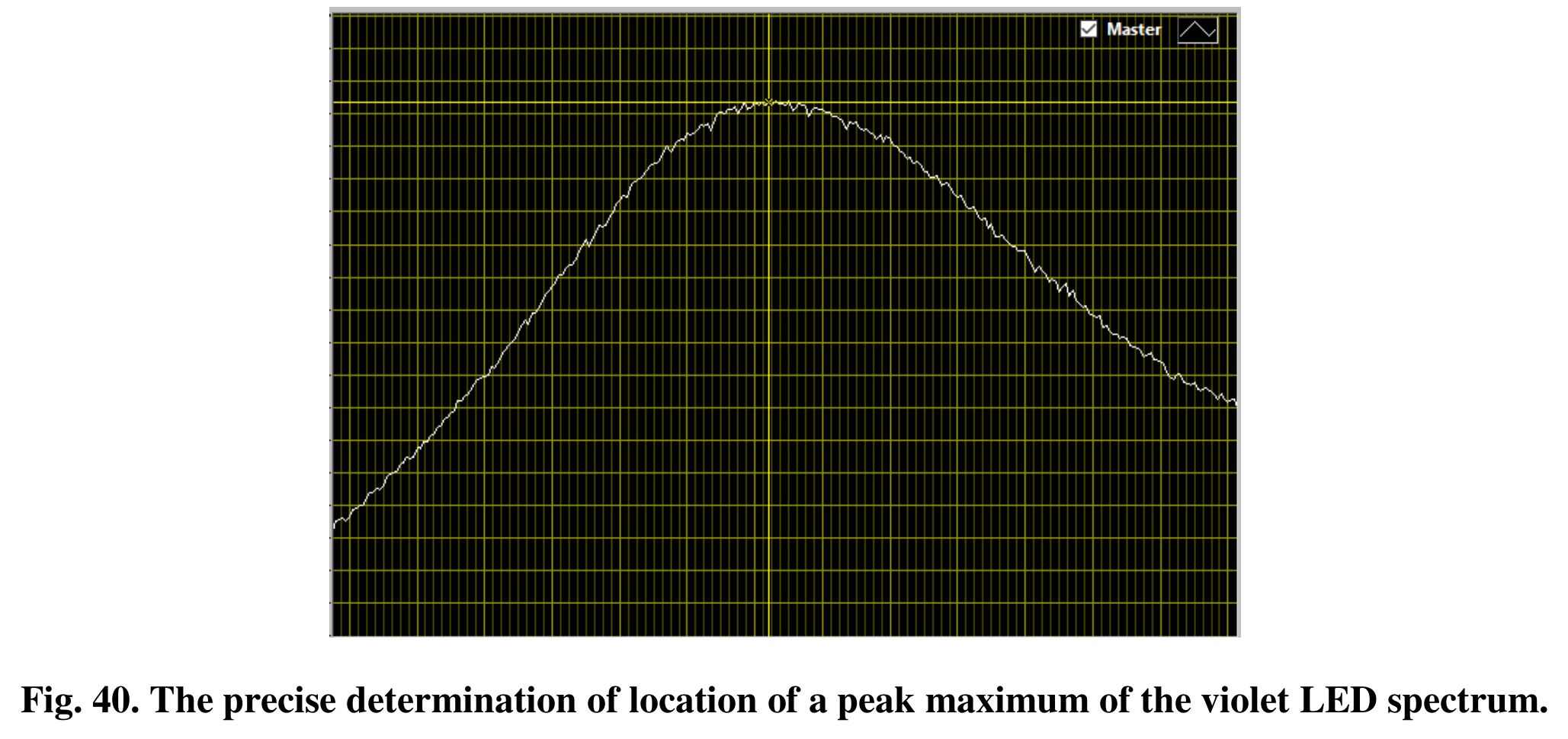
Fig. 40. The precise determination of location of a peak maximum of the violet LED spectrum.
2.3 Installing the Filter of the Second Order.
Both the first and the second orders of diffraction fall on the CCD-matrix. This can lead to distortion of real spectra under the measurements. To prevent this from happening we use the simplest filter to get rid of the second order of diffraction.
Turn the violet LED off and turn the incandescent bulb of the light source on. Readjust the light source position so that the light from the bulb illuminates the entrance slit (see Fig.41). You can use the screen to do this.
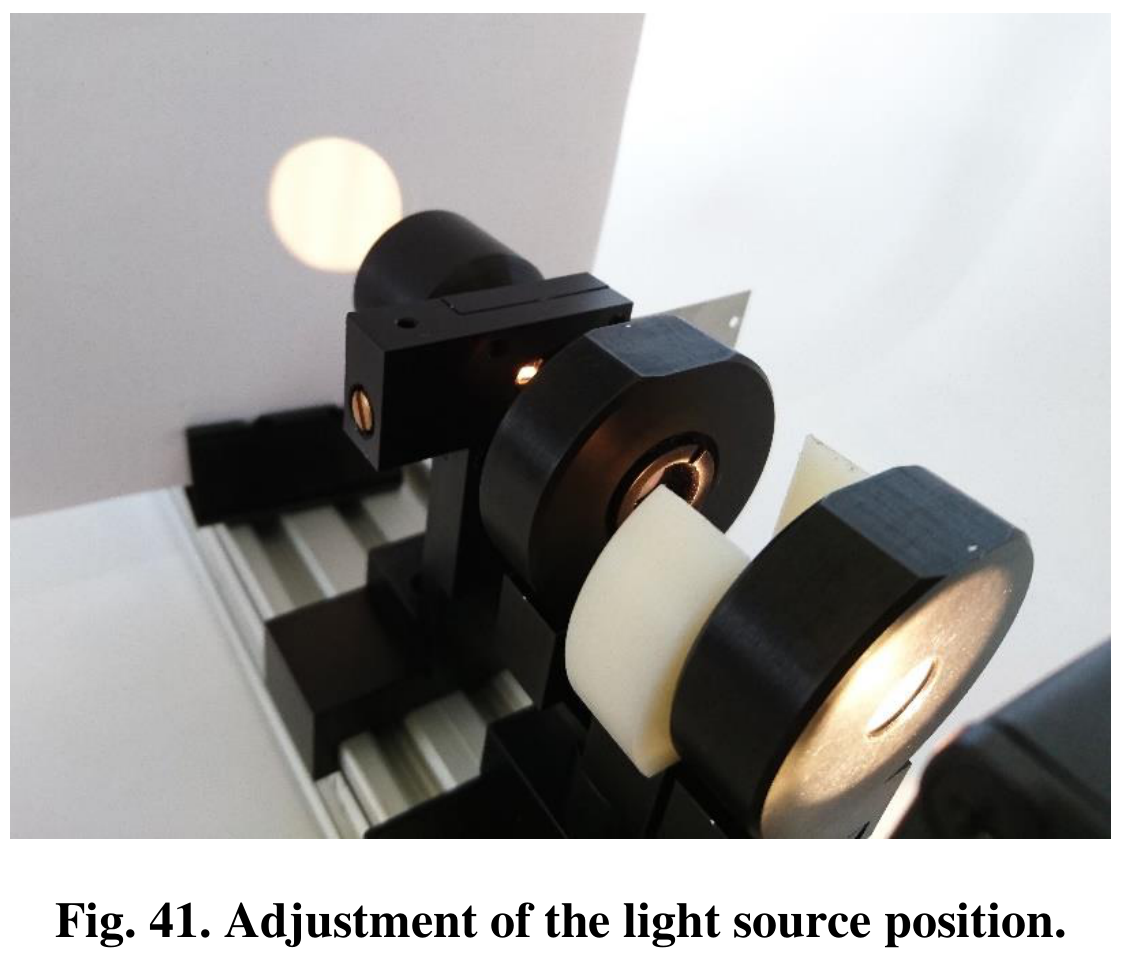
Fig. 41. Adjustment of the light source position.
The spectrum of the incandescent bulb will appear on the screen as it is detected by the CCD-matrix (see Fig.42).
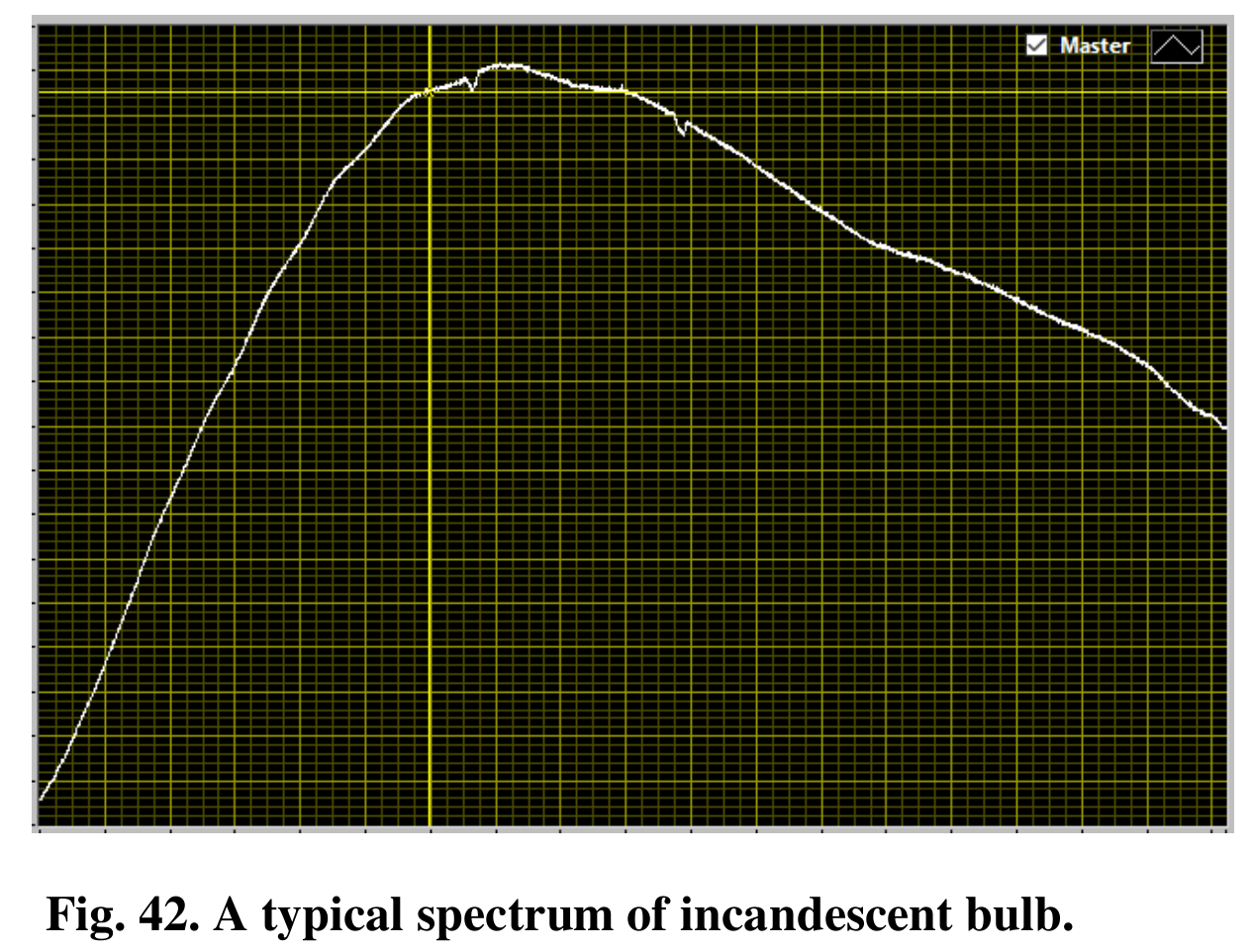
Fig. 42. A typical spectrum of incandescent bulb.
Insert the filter in the cuvette holder on the light beam path. Estimate the wavelength at which the filter begins absorbing the light (see Fig.43). Write the obtained value on the answer sheet (in nm).
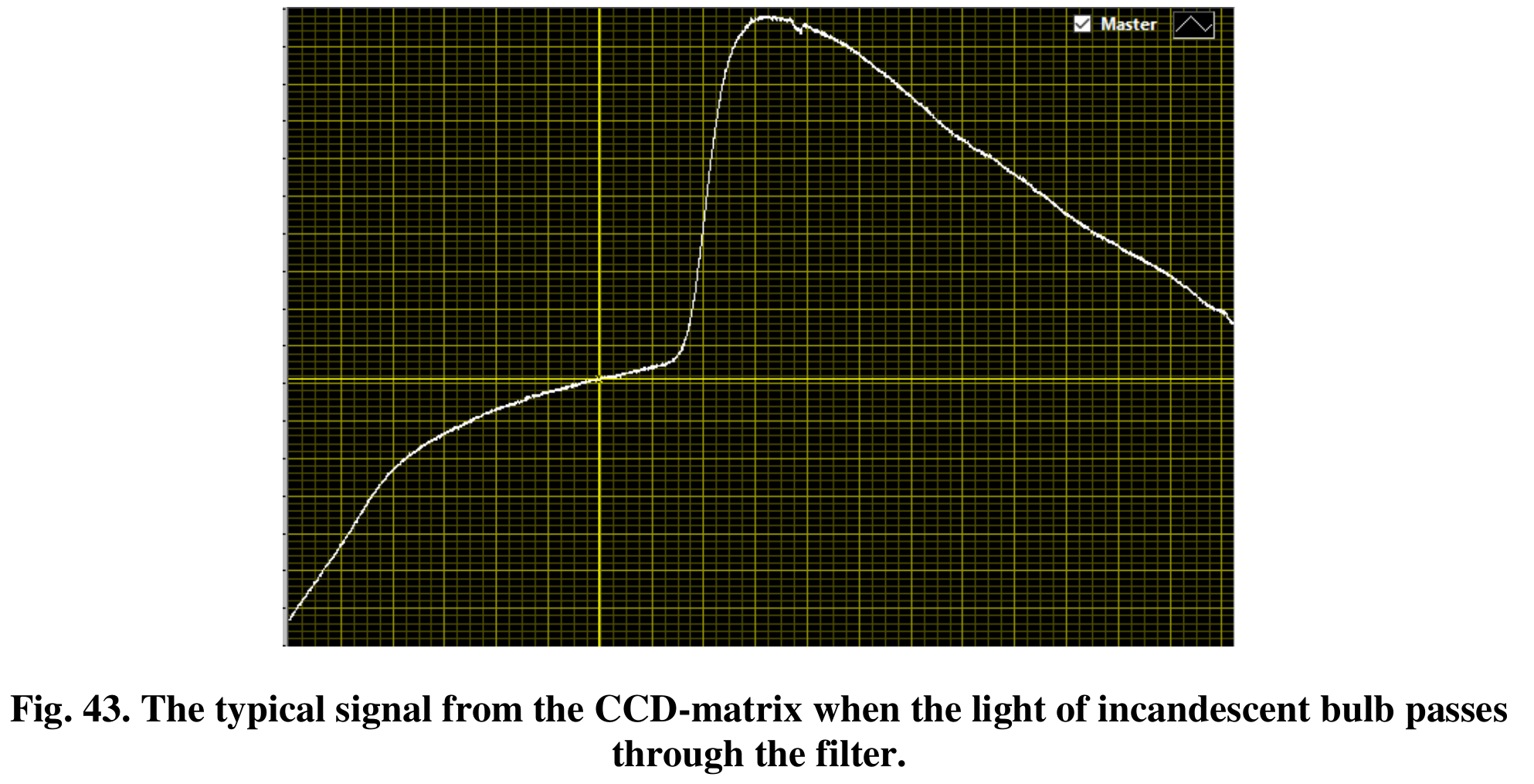
Fig. 43. The typical signal from the CCD-matrix when the light of incandescent bulb passes through the filter.
Now insert the filter into the holder before the CCD-matrix. Slowly move the filter to shorter wavelengths and observe the ensuing changes of the spectrum detected by the CCD-matrix (see Fig.44).
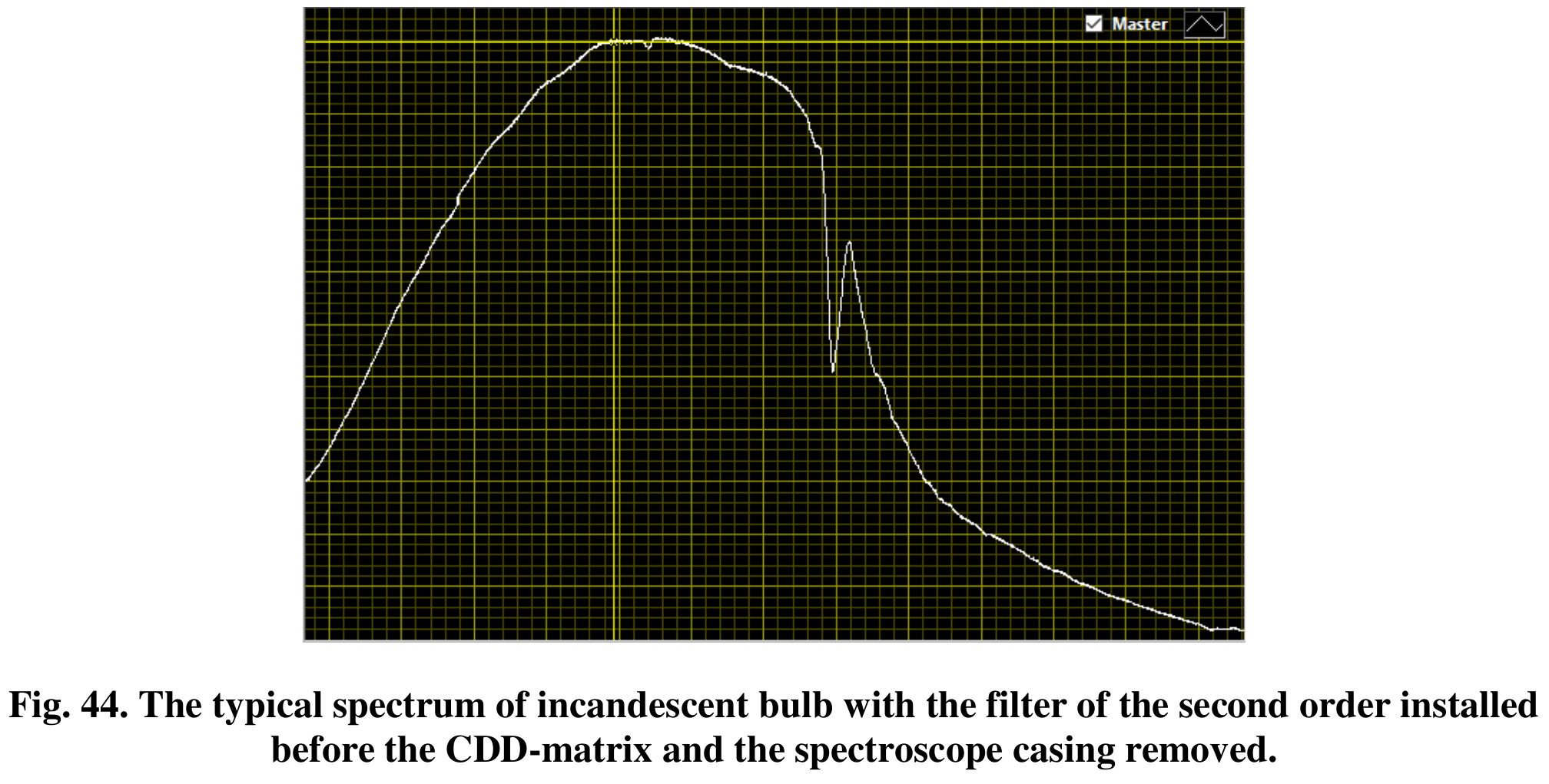
Fig. 44. The typical spectrum of incandescent bulb with the filter of the second order installed before the CDD-matrix and the spectroscope casing removed.
We need to «cut off» the blue part of the spectrum of the second diffraction order. To this end, set the filter so that the unavoidable signal defect, which is due to finite thickness of the filter, is located around 750 nm on the displayed plot. Fix the filter by the screw and do not change its position during the subsequent measurements.
The spectroscope must be covered with the casing to eliminate stray light. The approximate spectrum of halogen bulb after it has been done is shown in Fig.45. Try not to touch the casing after installation to maintain the measurement quality.
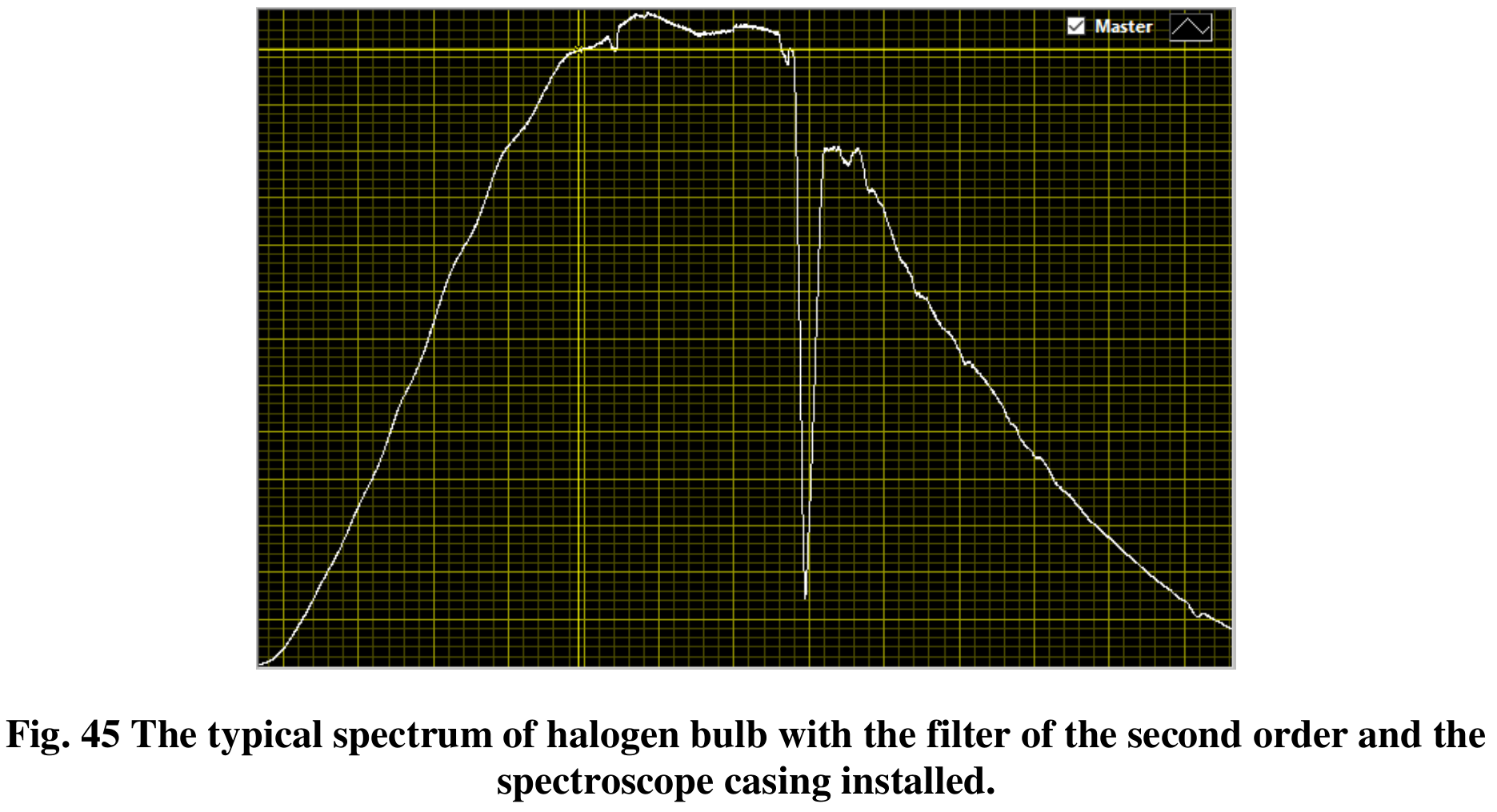
Fig. 45 The typical spectrum of halogen bulb with the filter of the second order and the spectroscope casing installed.
Now set manually the time of data accumulation (Integration time), so that the maximum signal from the CCD-matrix does not exceed 1700 points.
Set the number of averaging over spectra (Average) at 20. This value can be changed at will. The noise grows at a lower value while at a larger one the detection time of a single spectrum increases (but the noise is less).
Congratulations! The spectroscope is ready for operation.
Raise your hand and inform the attendant that you have accomplished the first and the second parts of the experiment. An expert will come to check the installation and make a note on the answer sheet whether it is operating properly. Otherwise, you would have to eliminate a malfunction. Besides, you may ask the expert to adjust the spectroscope in 2.5 hours after the beginning. In doing so, you will lose some points awarded for assembling the spectroscope.
Часть 3. Spectra of Various Light Sources.
3.1 Go to the «Measurements» menu. Install the halogen bulb as the light source. Block the bulb with the screen. The white and black sides of the screen must face the bulb and the collimator lens of the cuvette unit, respectively. Record the background spectrum from the CCD-matrix. Press the corresponding button to subtract the background. Remove the black screen.
Record the spectrum of halogen bulb and save it in a file on the PC hard drive. Write the file name on the answer sheet (the name must contain only Latin symbols).
Sketch the obtained spectrum on the answer sheet and indicate its main features.
Does the measured spectrum correspond to a real spectrum (radiation intensity versus its wavelength) of the halogen bulb? Write the answer on the answer sheet.
3.2 Install the red LED as the light source. Record its spectrum and save it in a file on the PC hard drive. Determine the wavelength at the maximum of the spectral peak (in nm) and the peak width measured at the peak half height (in nm).
Do the same for the orange and green LEDs.
3.3 Which quantity can specify the main difference between the spectrum of the halogen bulb and the spectrum of the LEDs? The answer should be given as a diagram in which the difference between the spectra is clearly shown and the main quantity specifying the difference is indicated.
3.4 Guess how the spectrum of blue LED would look like according to the results obtained (sketch it on the answer sheet).
The most common LEDs in a household are white ones. Guess how the spectrum of white LED would look like according to the results of Task 3.3 (sketch it on the answer sheet).
3.5 Install the red LED as the light source. You have to measure the dependence of the red LED spectrum on its temperature. The halogen bulb is used as a heater and the fan as a cooler.
Measure the wavelength at the spectral maximum of red LED radiating in a stationary mode versus the environmental temperature for three various temperatures (write the measured values in the table on the answer sheet). Remember that reaching thermal equilibrium takes quite a long time. By drawing simple diagrams illustrate how you were able to maintain three constant temperatures of the LED environment. Measure temperature in Celsius degrees and wavelength in nm. Sketch on the answer sheet how the spectrum evolves with temperature. The option of saving and displaying a spectrum would help you to do this. Plot the obtained dependence on the answer sheet. Fit a linear function to the plot. Write the slope coefficient and the intercept (indicate the dimensions).
3.6 Using the information obtained in the previous tasks try to answer the following question: is there a principal possibility for a driver on the planet Earth to confuse the red LED traffic light with the green one? Briefly comment on your answer using necessary numbers, equations, and diagrams.
Part 4. Absorption Spectra of Solutions.
In this and the next parts you will have to save the measured spectra on the PC hard drive. The file names must contain only Latin letters. The file names should be recorded in the corresponding column on the answer sheet.
To do the measurements you will have to insert the cuvette in the cuvette holder. The opposite sides of the cuvette look similar but actually there is a difference. Therefore, always keep the same cuvette orientation in the holder. Also, always push the cuvette tightly against the casing of the condenser lens of the cuvette holder. Before installing the cuvette always make sure that its outer side is dry. Use wipes if necessary. The light beam passing through the cuvette must travel completely inside a liquid. To ensure this it would suffice to pour 5 ml of liquid in the cuvette.
Study the instruction on the measurement of absorption spectrum in the equipment manual. Install the halogen bulb as the light source. Pour 5 ml of water into the cuvette using the large pipette. Water for dissolving chemicals must be drawn from the conical flask with distilled water. Record the background signal of the spectroscope and put a «tick» confirming subsequent subtraction of the background from the spectroscope signal. Remove the black screen. Record the reference signal of the bulb and save it. Install the cuvette in the holder. Record the altered signal. Display the absorption spectrum of water on the monitor.
4.1 Save the obtained absorption spectrum of water on the PC hard drive. Write the wavelength of the absorption peak maximum (in nm). Explain in a few words (in English) why water appears to be colorless although it absorbs light.
4.2 The flask #1 contains water solution of a blue dye. Assume its concentration to be 100%. You can mix the dye with water in a separate plastic flask.
Record and save in separate files on the PC hard drive no less than 7 absorption spectra of a dye solution in water for various concentration of the dye (including the initial one). Do not forget to rinse the cuvette with water before any new measurement. Also, do not forget to use different pipette tips for water and for the dye. Write the wavelength (in nm) at the absorption peak maximum for the 100% solution on the answer sheet. Sketch the typical shape of absorption spectrum on the answer sheet. Write the dye concentrations in the table on the answer sheet (in percentage of the initial concentration). Write the names of saved files in the table as well. Display on the monitor all the spectra measured.
4.3 Using the cursors measure the dependence of the optical density of a solution at the absorption peak maximum on the solution concentration. Do the same for the wavelength displaced from the absorption peak maximum by 15 nm to greater values. Write the obtained results in the same table on the answer sheet. Plot the dependencies on the same sheet of graph paper (on the answer sheet).
4.4 What function can describe the obtained dependencies? Make a guess and write the function in general form on the answer sheet. Determine the typical coefficients of this function for the dependencies measured and write them (with dimensions) on the answer sheet. Explain in a few words why the graphs do not pass through the origin (0,0). Sketch on the answer sheet how the absorption spectrum of the dye solution changes (both quantitatively and qualitatively) when its concentration decreases by the factor of two.
4.5 Determine the analytical dependence of the ratio of the intensities of light entering and exiting the cuvette on the dye concentration. Write the formula on the answer sheet.
4.6 Write and save in a file on the PC hard drive the absorption spectrum of the water solution of yellow dye stored in the yellow flask #2. Write the file name on the answer sheet. Write the wavelength at the absorption peak maximum (in nm) on the answer sheet.
4.7 Go to the «Data processing» menu. Read the instruction on how to use this menu in the equipment manual. Load the absorption spectrum of the blue dye water solution of the initial concentration (100%) and the absorption spectrum of water as the summands. Subtract these spectra. Save the spectrum of a «pure» blue dye in a file on the PC hard drive. Plot the typical spectrum of blue dye before and after subtraction of water spectrum. Do a similar procedure to subtract the absorption spectrum of water from the absorption spectrum of yellow dye of the initial concentration. Save the spectrum of pure yellow dye in a file on the PC hard drive. Write file names on the answer sheet.
4.8 Mix in the cuvette equal parts of the blue and the yellow dye water solutions of initial concentration. Write (in English) the color of the obtained solution on the answer sheet. Measure and save in a file on the PC hard drive the absorption spectrum of the mixture obtained. Subtract the absorption spectrum of water from the absorption spectrum of the mixture. Save the resulted spectrum in a file on the PC hard drive. Write file names on the answer sheet. Sketch the pure (without water) spectrum of the dye mixture on the answer sheet.
Using the option of spectra addition, add the spectra of the pure yellow dye and the pure blue dye. Choose the addition coefficients to best fit the result with the spectrum of the two dyes mixture. Write the addition coefficients on the answer sheet and save the result of adding the spectra on the PC hard drive. Write the file name on the answer sheet.
4.9 The plastic flask #3 contains a water solution of the green dye. Measure its absorption spectrum and save the file on the PC hard drive. Subtract the absorption spectrum of water from the absorption spectrum of the solution and save the spectrum obtained on the PC hard drive. Write file names on the answer sheet.
Sketch the typical absorption spectrum of the green dye without the water absorption. Find out in which proportion the blue and green dyes were mixed to obtain the dye in the flask #3. Write the proportion value on the answer sheet.
Part 5. Variations of Absorption Spectra.
Spectroscopy provides a way to study the composition of a material and to track its variations. In this assignment, we will try to track qualitative changes in the structure of a chemical indicator of acidity of anthocyanin solution. Anthocyanins are contained in many vegetables, fruits, and berries and often determine their color during the ripening. The most study-friendly anthocyanin solution is obtained by brewing the red cabbage in hot water, which you have already prepared in the «zero» part of the experiment.
To analyze the solution acidity on the quantitative basis we will use the concept of pH. Using a simplified definition, the pH can be calculated as the decimal logarithm of the concentration (in mole/liter) of free ions in a solution taken with negative sign:
In any water solution, the product of concentrations of ions and at a fixed temperature is constant. At 25 °C this constant equals . In pure water the amount of ions of both types is the same, hence, the pH of distilled water is 7. By adding an alkali to water, one raises the concentration of due to dissociation of the alkali into ions. This, in turn, reduces the number of ions , which leads to increasing the solution pH compared to distilled water. On the other hand, adding an acid to water increases the concentration of ions and, hence, reduces the solution pH. Thus, a substance at 25 °C with pH from 0 to 7 is called acidic and a substance with pH from 7 to 14 is called alkaline.
In the measurements to follow, the term absorption spectrum is referred to the absorption spectrum of a pure solute without taking into account the absorption spectrum of water.
5.1 Read carefully the instruction on how to use the pH-meter in the equipment manual. Pour 45 ml of anthocyanin solution prepared in the Part #0 into a plastic flask. Measure the solution pH and write it on the answer sheet. Measure the absorption spectrum of the solution (do not forget to subtract the absorption spectrum of water). Save the resulting spectrum in a file on the PC hard drive. Write the file name on the answer sheet. Sketch the typical spectrum on the answer sheet.
5.2 The test tube #1 contains sodium carbonate (alkali). Carefully add a small amount of sodium carbonate to the flask with the anthocyanin solution. Close the flask with a cap and shake it. If the sodium carbonate has dissolved completely, add some more. Shake again. Repeat if necessary until you obtain the saturated solution. Filter the solution following the same lines as in the Part #0. Measure the solution pH and write it on the answer sheet. Record the solution spectrum and save it in a file on the PC hard drive. Write the file name on the answer sheet. Sketch the typical spectrum on the answer sheet.
5.3 The test tube #2 contains citric acid. Fill a new flask with 45 ml of the anthocyanin solution. By carefully adding the acid to the solution obtain a solution with the pH between 3.8 and 4.0. Measure the solution pH and write it on the answer sheet. Record the solution spectrum and save it in a file on the PC hard drive. Write the file name on the answer sheet. Sketch the typical spectrum on the answer sheet.
5.4 Using the small and large pipettes mix the anthocyanin solutions with high, low, and middle (the initial solution) pH. You will obtain the solutions of various intermediate pH values. Measure the solution spectra and save them in separate files on the PC hard drive. The pH values and the file names should be written on the answer sheet. Display on the monitor all the solution spectra obtained. Sketch the typical spectra types and indicate typical changes of spectrum under variation of the solution pH.
5.5 Suggest a physical quantity which would help to determine the pH of a water solution of anthocyanin by using only its absorption spectrum. Write a formula of this quantity on the answer sheet. Sketch a spectrum and indicate on the spectrum all the quantities used in the formula.
5.6 Using all measured spectra derive the dependence of the suggested quantity on the solution pH. Write the pH of various solutions in the table on the answer sheet versus the values of the quantity (indicate the unit of measurement of the quantity, if necessary, in the table header). Plot the obtained dependence on the answer sheet.
Решение
Внимание: Непълно решение
No matching worked or grading key is present in the complete 40-page original practical booklet or listed in the exact retained archive directory.
Reader note: literal printed apparatus units
The source prints a 29 mm sensitive area with 3648 pixels of 200×6 µm and a sensitivity range between 400 and 1100 µm. The printed dimensions and micrometer unit are preserved; no silent substitution of nanometers or numerical reconciliation is made.
Reader note: literal lens and light-source terminology
Task 1.6 asks for the focal length of the large collimator lens in the condenser-lens setup; the CCD focal-plane instruction on native page 28 also says large collimator lens. The equipment calls one LED yellow, Task 3.2 calls it orange; violet and blue terminology and printed CDD-matrix spelling also vary. These source words are retained.
Reader note: literal mixture wording and tube labels
Task 4.9 literally asks for blue and green dye proportions, following the blue/yellow mixture request. Task 5.2 names sodium carbonate tube #1 whereas Fig. 5 labels carbonate #3; citric acid remains #2. The original descriptions and native labels are preserved.
Reader note: source scope and absent companions
All 40 native pages were read. They contain one connected Spectroscopy experiment, full apparatus/preparation/adjustment instructions, Parts 0–5 and 32 numbered Task requests, plus 45 original figures. No worked or grading key is printed. The exact archive directory has no separately listed practical key, answer-sheet tables/graph paper, or external software manual referred to by the tasks. The native apparatus instructions are fully retained. Student-specific spectra and measurement files are requests, not supplied datasets. No answers, tables, missing manual instructions or experimental data are invented.
Оригинал в Архива: practical.pdf